For players / ROBLOX
Paws and Finds: your first dog, selling finds and merging
A complete first-session plan covering the shelter, manual loop, coins, matching pairs, toys and a new yard. With three illustrations.
Your first-session goal #
Paws and Finds is a game by this site’s author about dogs, finds and yard development. Its public description lists adopting dogs, selling finds, merging matching pairs and collecting 100 breeds. This guide explains a learning order based on that description; it is not an invented playthrough diary.
Begin with one goal: understand the complete manual loop from getting a dog to selling a find. That makes toys, new yards and automation easier to evaluate. You do not need to complete the collection immediately. First understand your own actions and how the game confirms their results.
1. Find the shelter and get a dog #
Inspect the starting area and locate the shelter interaction. Listed PC controls are WASD for movement, Space to jump and E at stations; mobile uses a thumbstick and on-screen buttons. Approach the relevant station and read its current prompt. Not every station necessarily performs the same action.
Review the action conditions, particularly any displayed price. After getting the pet, confirm that the game shows the dog or another clear result. This article establishes neither every button name nor a complete starting price list. Follow the actual prompt rather than looking for an invented command.
2. Complete one manual loop #
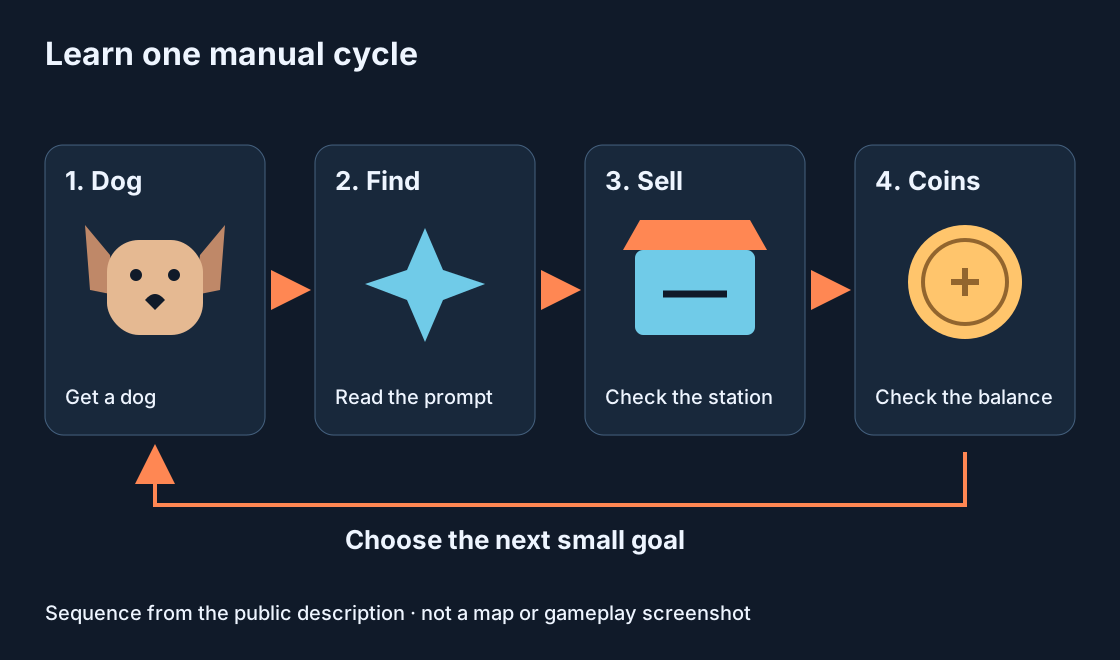
Learn finds and selling before using automation. Observe the dog’s available actions and yard state. When a find appears, read its related prompt and understand how the present version lets you collect and sell it. Do not assume that the same action applies to every station.
The diagram shows the described loop rather than a station map. After selling, look for a clear confirmation, such as a displayed balance change. If an action fails, distinguish producing a find from collecting it or selling it. These are different stages and should be reported separately.
3. Compare before and after selling #
If a balance is displayed, record it before and after a sale. Two observed values and the action between them are enough to start understanding what changes coins. They are not a universal earning rate or a promised hourly return.
If you also completed a quest or collected another reward, the difference may reflect several events. Repeat a simpler loop with fewer additional actions. The aim is connecting a find to its sale, not ranking pets from one observation.
4. Check a matching pair before merging #
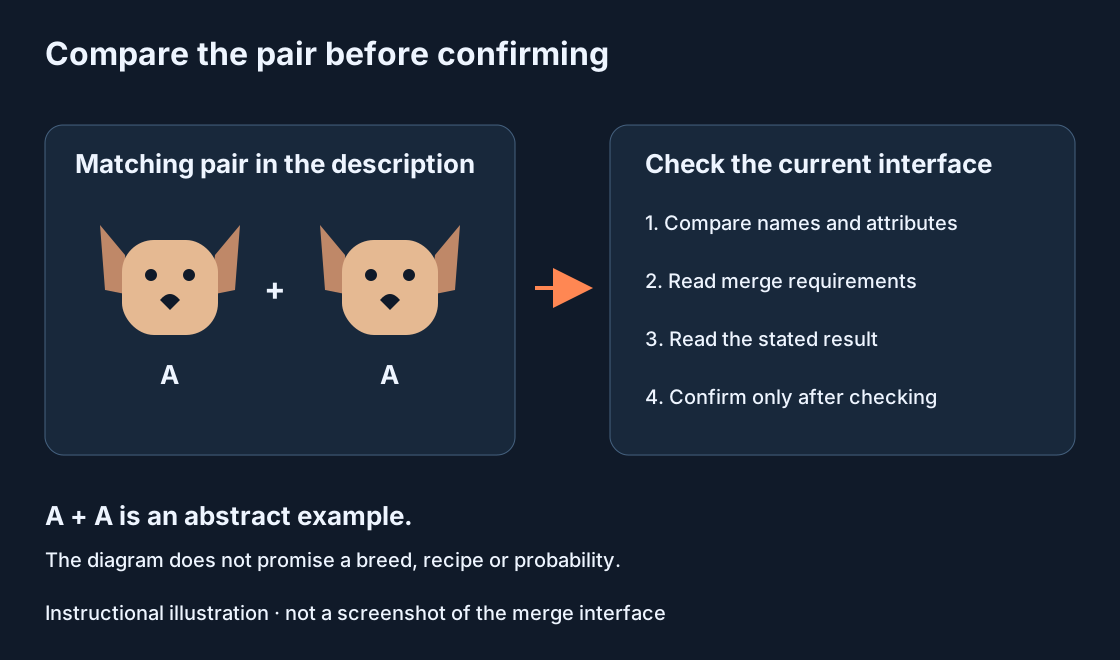
The description specifies merging matching pairs. Inspect the current interface for eligible dogs and compare your selected pets. A similar picture colour alone is not a reliable check. Read displayed names, attributes and the mechanic’s requirements.
Before confirming, inspect the described result and what happens to the selected pets. This guide invents no recipe table, probabilities or breed progression. The diagram explains checking a pair, not a guaranteed resulting dog. Do not merge a favourite blindly simply to test an article.
5. Choose a collection goal #
The public description lists 100 breeds. Choose a small introductory goal: understand your existing dogs or how new breeds are recorded. If a collection view is available, compare it before and after obtaining a pet. Similar appearances do not by themselves establish distinct breeds.
Separate collecting preferences from economy goals. A dog can be appealing visually while another action helps you understand merging. This is a way to plan a session, not a verified ranking of breeds. Use current in-game information for specific attributes.
6. Understand toys and a new yard #
The description says toys boost income and starting a new yard grants a permanent bonus. Read the displayed price and effect of a particular toy. To investigate its influence, compare similar conditions rather than changing several factors and attributing everything to one item.
Before starting another yard, inspect the transition conditions. The public description does not fully establish what remains, what changes or which requirements apply. This guide promises neither retention of every object nor a specific bonus amount. Understand the consequences before deciding whether the action serves your goal.
7. Distinguish manual play from paid options #
Auto Collect and Auto Merge are described as optional permanent passes. They concern different actions: collection and merging. After a manual loop, you can better judge what you enjoy and which task you would prefer to automate. Their existence does not make buying a pass a prerequisite for learning the basic actions.
The description also lists +30% income for Roblox Premium. Review current Roblox conditions and prices before any purchase decision. We have not verified a formula for combining that bonus with every pet or other effect, and do not present one.
Review and common difficulties #
You understand the first session when you know where to get a dog, how to check a find and sale, how to identify an eligible pair and which step comes next. For an unresponsive station, check distance and its prompt. For a rejected pair, compare pet requirements. For an unexpected balance change, review preceding actions.
An issue report should identify device, station, actions and expected result. Nothing works is too vague to investigate. The game is labelled an early version and continues developing, so old prices, pictures and instructions can differ. A precise report helps distinguish a change from a failure.