Development / ROBLOX
Roblox Studio Output: find the cause and verify the fix
A practical debugging loop with filters, client and server context, warnings, runtime errors and two small code exercises.
Start with a repeatable case #
When a button does nothing or a reward is missing, write down your action, the expected result and the actual result. For example: “Started the test, clicked once, expected a purchase message, saw no message.” This gives you a specific case to repeat after changing the code.
Use a separate practice project for this guide. The exercises only print messages and compare local values; they do not connect to a shop, player currency or saved data. Your aim is to connect a program signal to an action. Once that makes sense, apply the same process to one small part of your own project.
1. Open Output and prepare the view #
The current Roblox documentation places Output in the Window menu and the Script tab toolbar. Open the panel and arrange it so new messages remain visible during a test. If your panel arrangement differs, use the window name to find it.
Check the message type, context and text filters. For the first exercise, remove a text search and include server messages, normal output and warnings. Turn on Show Source to see the script and line where available. Save any useful evidence before clearing the window. Clearing removes displayed messages; fixing the underlying code is a separate action.
2. Create one server Script #
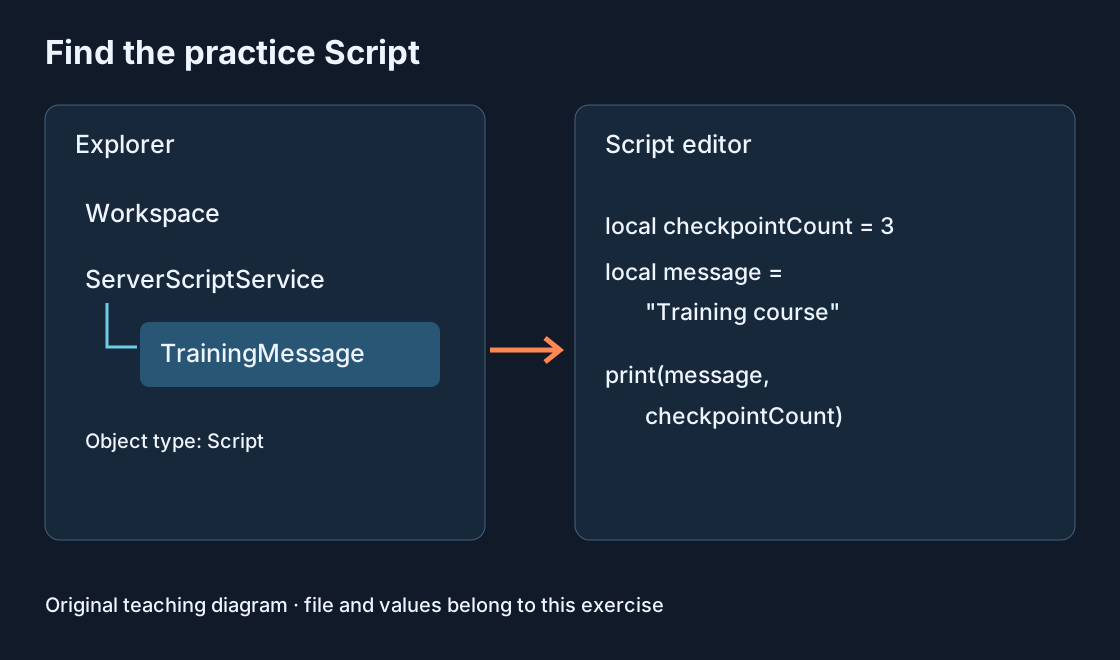
In Explorer, add a normal Script named OutputPractice inside ServerScriptService. The default Legacy RunContext is suitable for this server exercise; you may also explicitly select Server. Paste the first example below and check that the script is enabled.
Start a Studio test. Expect a coins message containing 8, followed by Unexpected coin count as a warning. Check its server context. If several identical message pairs appear, look for duplicate practice scripts. Multiple copies each produce their own output, which can make a single execution look like several repetitions of the same bug.
local expectedCoins = 10
local actualCoins = 8
print("coins", actualCoins)

if actualCoins ~= expectedCoins then
    warn("Unexpected coin count")
end
3. Separate messages, warnings and runtime errors #
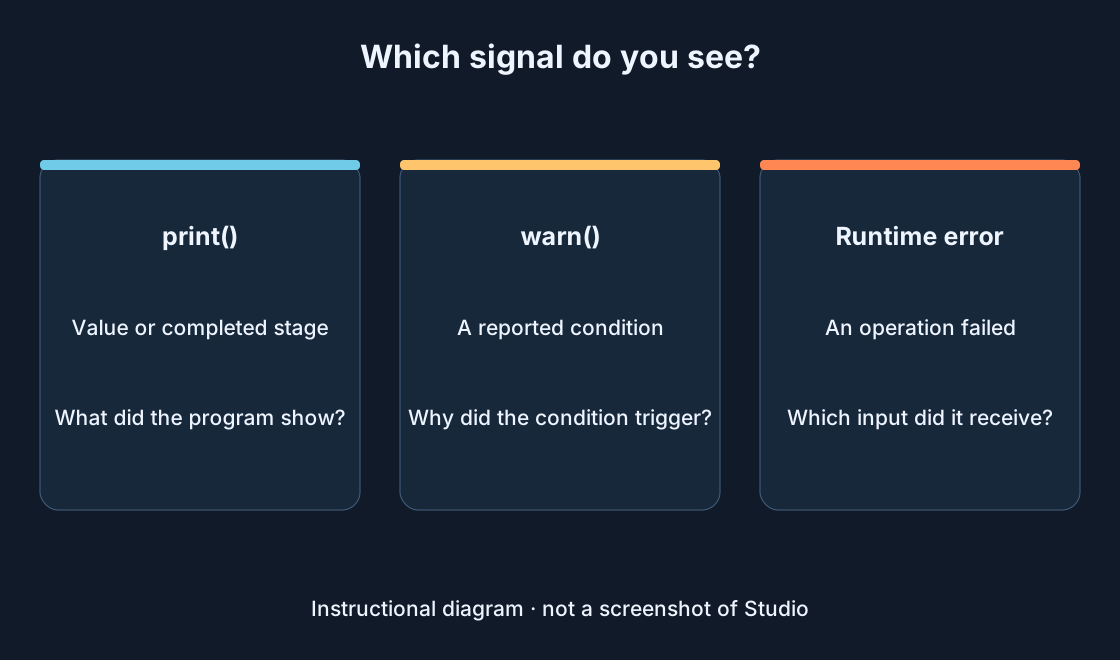
print() displays a value or marks a completed stage. warn() highlights a condition the code author chose to report. Our warning appears because 8 differs from 10. The warning itself does not establish that Roblox Engine is broken; read the condition that produced it.
A runtime error means a particular operation could not complete. Read its text together with its source and the test steps. Color alone does not tell you which object is responsible. Check whether a line comes from your script, another component or a different test before changing anything. The diagram separates these three signals.
4. Change one value and run the same test #
Stop the test. In the original OutputPractice script, change actualCoins from 8 to 10 and keep expectedCoins at 10. Start a fresh test, either clearing the previous history first or noting the new start time. The normal message should now contain 10 and this condition should no longer warn.
You are checking one change. Changing the condition, variable name and script location together would make it difficult to know which change helped. Runtime object changes can reset after Stop, so edit the original project while testing is stopped. Save the corrected version after a repeat test produces the expected result.
5. Investigate a harmless practice runtime error #
Replace that script with the second example and start a new test. inventory deliberately contains nil, so inventory.Coins cannot access a table field. Expect an error pointing to that access. Its exact wording may vary; the source should still connect the message to our example.
Stop, then replace local inventory = nil with local inventory = {Coins = 10}. Test again: the field access now produces a number and Output should display 10. This fixes the input used by the operation. Removing print() would merely remove the exercise without explaining why the earlier access was invalid.
local inventory = nil
print(inventory.Coins)
6. If nothing appears, check the execution path #
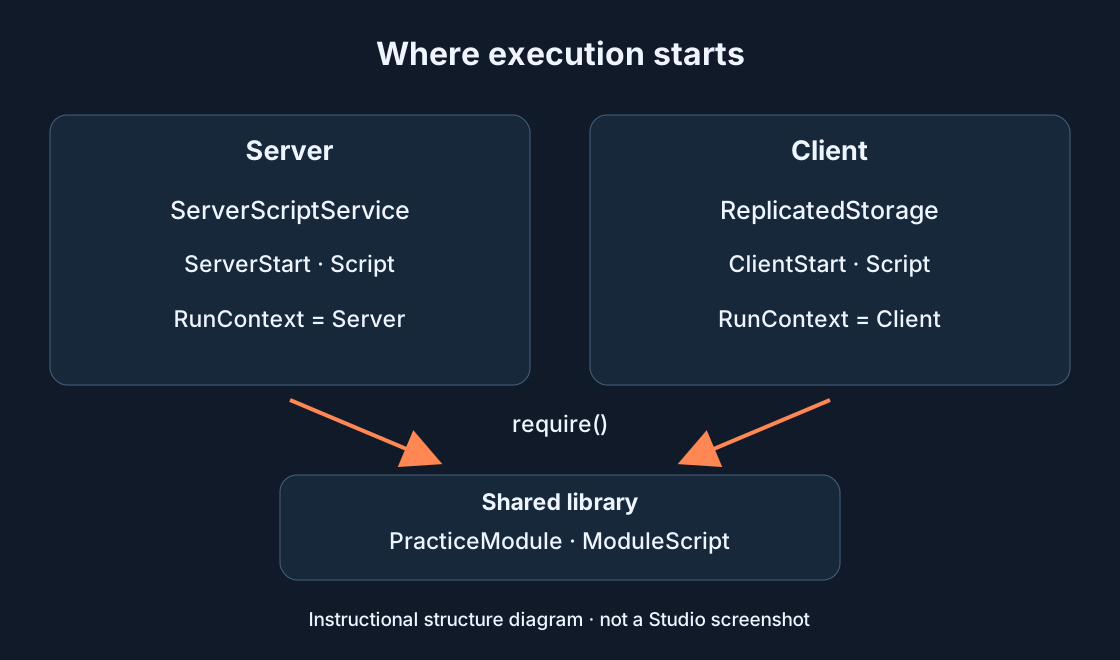
Return to the first example and temporarily put print("OutputPractice started") at the top. If it never appears, check that a test is running, the Script is enabled, its container is correct and its RunContext fits the exercise. Then check Output filters and context. Reach the arithmetic before debugging its values.
For a real LocalScript, consider client execution and its container. A server message does not establish that a client handler ran too. Short markers before and after an action help narrow the problem: only the first marker points to the intervening code; neither marker suggests checking startup or visibility first.
7. Read the source and keep useful evidence #
Find the script name and line number associated with an error. Show Source exposes that relationship where available; an available source link takes you to the relevant code. If a call stack is shown, also inspect the caller. A line number is a starting point: the bad value may have been created earlier.
Record the steps, expected and actual behavior, error text, script and Client or Server context. Include a minimal relevant code fragment when asking for help. Remove credentials and player data before sharing. Avoid printing every frame: a continuous stream makes the first useful message much harder to find.
8. Verify behavior as well as the log #
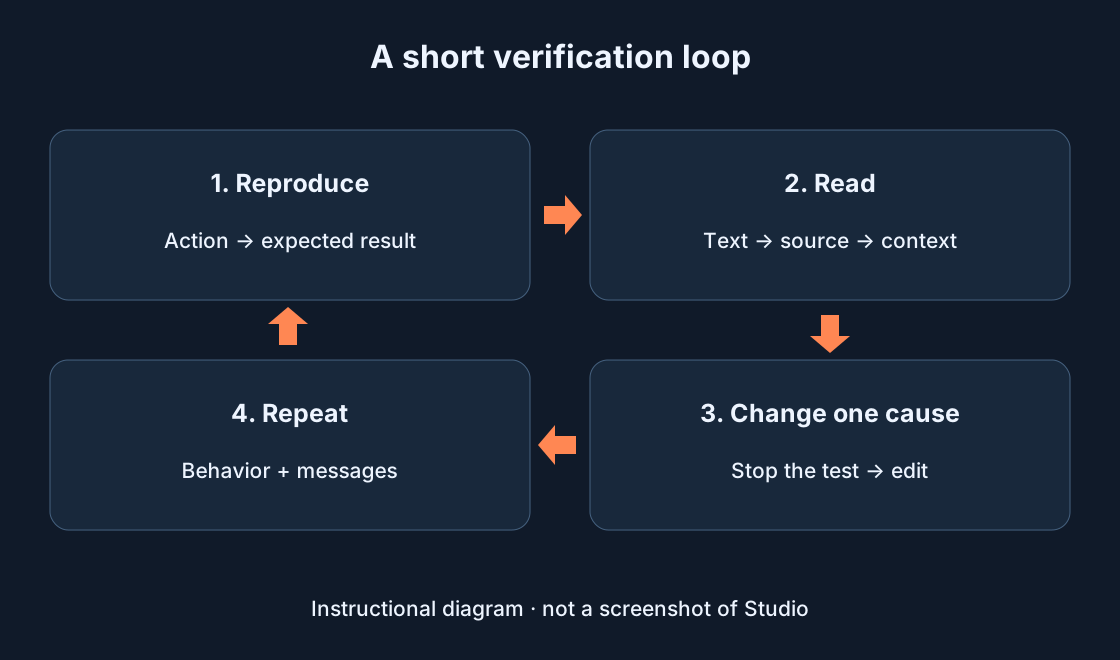
Repeat the original steps. Check both that the intended behavior happened and that the related error no longer appeared. For our first exercise, that means the value 10 and no warning from the comparison; for a button, it means the intended action. An empty Output panel does not by itself prove a broken button is fixed.
Try a neighboring case such as repeating the action or supplying another valid input. Remove excessive temporary messages while keeping useful diagnostics. If the problem remains, record what changed and investigate one cause again. This short loop keeps each next step understandable and preserves a version you can return to.
Original sources
Roblox Creator HubRoblox Creator Hub · Studio testing modes
Roblox Creator Hub · Script types and locations