Development / ROBLOX
Roblox menus reset after respawn: check ScreenGui placement and ResetOnSpawn
Separate the StarterGui template from the player's runtime copy and compare three ScreenGui placements. This step-by-step exercise distinguishes menu replacement from visibility, saved progress and references to the current character.
Describe what actually disappears #
The phrase menu reset can describe several events: the panel is no longer visible, text returned to its original value, a selected tab closed or an old object was replaced. Start with one reproducible situation. For example, open a teaching route panel, change its label and respawn the character. Record visibility, label value and button availability separately. One general conclusion cannot substitute for those individual observations or identify which part needs investigation.
Our exercise uses a fictional panel whose label begins with No route selected. After a change it displays Northern route selected. These are invented teaching labels for a separate project, not claims about features in our five games. The guide proposes a self-check based on official conditions. We have not yet run this particular experiment in Roblox Studio, and its documented expectations are not presented as measured test results.
Separate the template and player instance #
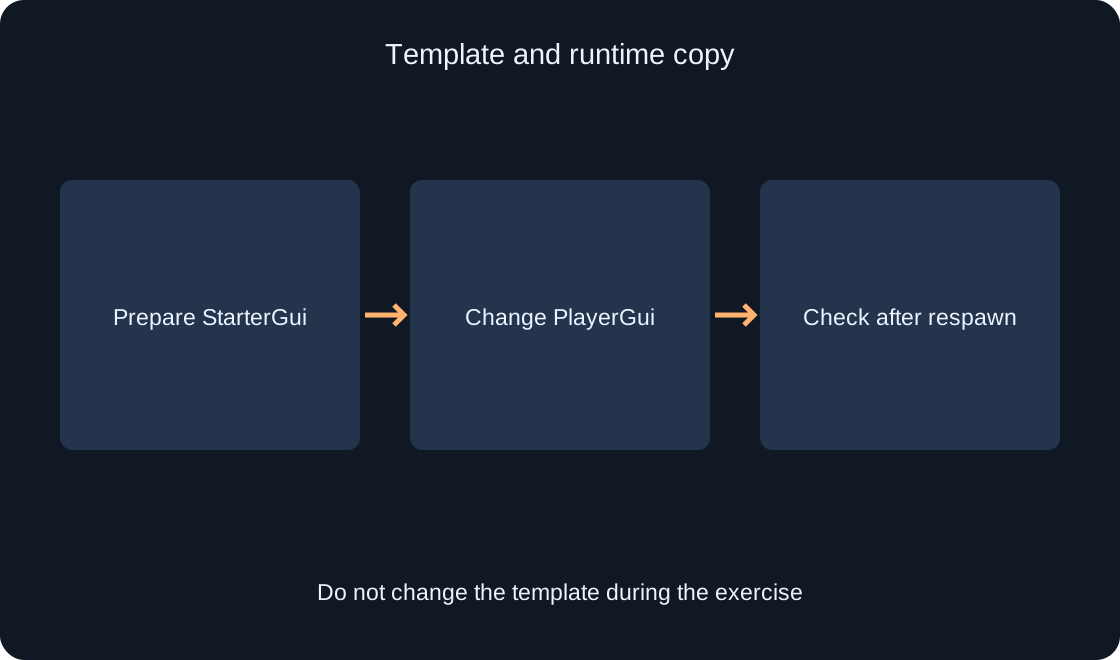
The official guide describes StarterGui as the location for preparing screen UI: when the character first spawns, ScreenGui and its contents are copied into that player's PlayerGui. Distinguishing the two locations is essential for our exercise. The label prepared before starting belongs to the template. Changing the runtime label provides an observable marker for whether that session's panel state remains after a character respawn.
Before testing, record two paths: the original container under StarterGui and the copy found under Players, the chosen player and PlayerGui. Do not edit a similar panel merely because its name looks familiar. During the check, verify that you are changing the selected client's instance. After stopping the test, inspect the source hierarchy again. Temporary runtime changes should not silently become different starting conditions for the next comparison.
Prepare three independent placements #
Create a separate teaching project with ordinary character spawning. Place a uniquely named ScreenGui called RespawnA directly under StarterGui and set ResetOnSpawn=true. Add RespawnB beside it with ResetOnSpawn=false. Then add a Folder named RespawnFolder under StarterGui, and put a third ScreenGui, RespawnC, inside that folder, also with ResetOnSpawn=false. The names and arrangement are original exercise labels intended to make comparisons unambiguous.
Create a simple TextLabel named RouteLabel inside each ScreenGui, with the initial text No route selected. Position the three labels in separate screen areas so they do not overlap. Do not add a shop, saves, asset loading or complicated handlers. The first task concerns container lifecycle. Record the full path and property value of every placement before starting, so the later table describes actual conditions rather than assumptions about where each object lives.
 Open full-size image ↗
Read the entire ResetOnSpawn condition #
The official guide's condition table associates ResetOnSpawn=true with resetting. Preservation requires false and a ScreenGui directly under StarterGui. An indirect descendant, such as a ScreenGui inside a Folder under StarterGui, also resets. Checking false alone is therefore insufficient: the container's placement is part of the condition. This explains why moving a menu into a folder can change expected behavior while its property remains unchanged.
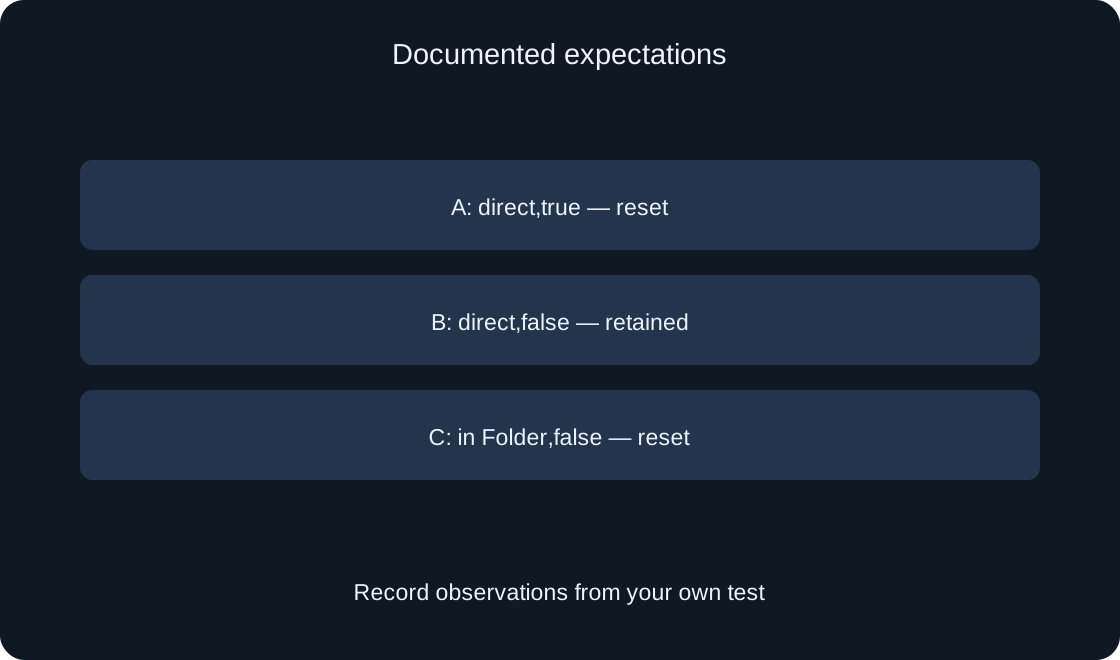
The documented expectations for our labels are: A resets, B remains and C resets. First write those into an expected column, not an observed column. Perform your own check before filling the latter. If results differ, retain both records and review the path, property and runtime instance. Do not retrospectively rewrite the conditions as though another placement was tested from the start. A mismatch is useful evidence about the setup that still needs investigation.
| Placement | Expectation |
|---|---|
| A: direct,true | Container resets |
| B: direct,false | Container retained |
| C: inside Folder,false | Container resets |
Change the runtime copy's state #
Start the teaching project and wait for the character and readable labels. Find the three containers in the selected client's PlayerGui using their unique names. Change each runtime RouteLabel Text value to Northern route selected. Confirm that the intended panel actually shows the new label. Do not simultaneously modify the template text under StarterGui: a fresh copy could then resemble a preserved old one, defeating the comparison.
Record the initial label, changed label and how you changed it. If the intended object cannot be found or its displayed text does not change, investigate that step first. Without a confirmed initial runtime state, the later comparison is ambiguous. One understandable marker is enough for the exercise. Several hidden settings or multiple interacting menus add causes that are difficult to distinguish from ScreenGui replacement and make results harder to reproduce.
Respawn the character and compare outcomes #
Use the available character-respawn action in the test and wait for a controllable character and UI to return. Read A, B and C separately. Record whether each changed label remains, whether its initial text returns and whether the panel is visible at all. The result after respawn matters more than a brief disappearance during the transition. A waiting screen is not the final state you are trying to compare.
Repeat the comparison once more after assigning a clear changed label to the current instances again. If the first and second outcomes differ, do not promote one attempt into a universal rule. Keep the context: objects present, where values were changed and any additional running scripts. This is a proposed check sequence. Actual labels and appearance timing should come from your own run rather than being copied from the expected-results table.
 Open full-size image ↗
Do not confuse Enabled with replacement #
Enabled controls a screen container's visibility and activity. The official guide explains that a disabled container does not render its contents or process input. That is a separate question from deletion and re-cloning during respawn. If a label is unavailable, inspect Enabled on the current ScreenGui. Then investigate other visibility causes, including child placement, an overlapping panel or your own show-and-hide logic, instead of assuming every missing label proves replacement.
Give Enabled its own journal column rather than substituting it for label preserved. A hidden panel may still contain the changed label; a visible fresh panel may contain the initial label. An identical container name also does not establish that it is the same instance. Strict reference comparison requires a separate instrumented check. Our text marker tests observable panel state and is not offered as complete proof of object identity.
Review dependencies on the current character #
A preserved menu does not mean everything connected to it automatically becomes current. Its own code might retain a reference to the character that existed before respawn. Separate the requirements of preserving a selected tab and refreshing information about the new character. These are different development tasks. First identify which data describes a user choice and which data must follow a current gameplay object rather than an earlier one.
For the teaching panel, prepare a dependency list: selected route, health label, Character reference and connected events. Only the first directly concerns our text marker. The other items need separate checks in the real implementation. Do not promise that ResetOnSpawn=false alone repairs outdated references. New event connections also need a clear owner and cleanup of the previous connection so a panel repair does not accidentally introduce repeated reactions.
Distinguish retained UI from saved progress #
An observation after respawn concerns UI state during the current run. It does not establish that a route selection persists after leaving the game, using another device or changing servers. Those requirements need their own data and checks of the saving mechanism. Do not call ResetOnSpawn a save system. In our exercise, changed text is a marker of menu state, not a player achievement written to persistent storage.
If CharacterAutoLoads is disabled, the guide ties initial StarterGui copying to a LoadCharacterAsync call. That project differs from our simple setup. Record the mode first, then examine when the UI initially appears. Do not mix absence of the first copy with disappearance after a later spawn. Use ordinary spawning for the first comparison and add other modes as separate cases with their own explicitly stated expectations and observations.
Finish with a clear comparison table #
For A, B and C, preserve the path, ResetOnSpawn, expected behavior, observed text after each attempt and Enabled. Add that the comparison does not cover saves, all event handlers or references to the new Character. This lets another developer reproduce the situation and assess the limits of the conclusion. If you tested only direct placement B, do not describe its result as an executed check of all three placements.
After comparing, choose a lifecycle that suits your menu's purpose. One-time onboarding, settings and character information can require different state policies. Define the intended behavior before configuring the container and code. The original exercise changes no published games and uses no borrowed screenshots. Check current conditions against the official sources, and add only observations you actually obtained from your implementation to the final account of results.
| Field | What to record |
|---|---|
| Path | Complete path |
| ResetOnSpawn | Actual value |
| Text after respawn | Observation,not expectation |
| Enabled | Separate from retained text |
Original sources
Roblox Creator Hub — On-screen UI containersRoblox Creator Hub — LayerCollector