Development / ROBLOX
Your first Roblox progress save: loading, updating and joining again
Build a small learning exercise around a single saved counter. Understand how player data differs from a Studio project file, prepare an isolated test experience and distinguish a failed load from a genuinely missing record. This introduction is not a complete persistence system for a live economy.
Decide what must survive leaving #
Imagine a small workshop. A player completes three orders, closes the game and returns that evening. The workshop geometry belongs to the project. The completed-order count belongs to that particular player. Saving the level file does not automatically preserve every visitor’s changing personal progress.
Start with one integer. Avoid introducing currency, items, quests and trading at the same time: otherwise the first unexpected result will be difficult to trace. Call the learning counter TestCompletedOrders, for example. The interface should display the value actually loaded by the server, rather than a number drawn in advance. Write down what successful persistence means before adding the first interaction.
Prepare a separate test experience #
Create a separate experience, publish it and restrict access appropriately. Adding another place to an existing live experience does not provide the same isolation: places within one experience can access its data stores. Check which experience you are editing in Creator Hub before changing any settings.
Roblox documents Studio API access under Security in Experience Settings. Enable it only for your isolated test experience. Studio’s menu placement can change; check the current documentation if the window looks different. Do not enable access to a live project’s real player records merely to make an experiment run quickly. An unfamiliar record should never become the accidental target of your exercise.
Put persistence on the server #
DataStore operations belong in a server Script. ServerScriptService is a suitable location for this exercise. A LocalScript can show loading status and display the result, but it should not decide the saved counter or declare that a write succeeded.
Separate three responsibilities: load a value when the player joins, apply a server-authorized change and persist that change. Combining everything in a button handler encourages treating every click as successful. In our workshop, “order completed” means the server verified the task. A visible button press alone does not establish that the player earned progress.
Choose a store name and player key #
Use a stable test store name and a key based on Player.UserId. Our suggested naming convention is GuidebookOrdersTest_v1 for the store and User_ followed by the user identifier for the key. These are exercise names, not a format Roblox requires.
Do not use Display Name as the identity: different people may share an identical display name. Keep the store name unchanged between the first and second test sessions. Otherwise you may read a different store and mistakenly conclude that the previous write disappeared. Record the store name, key convention and experience identity in the test notes so that a later investigation has a reliable starting point.
Missing data and failed loading are different #
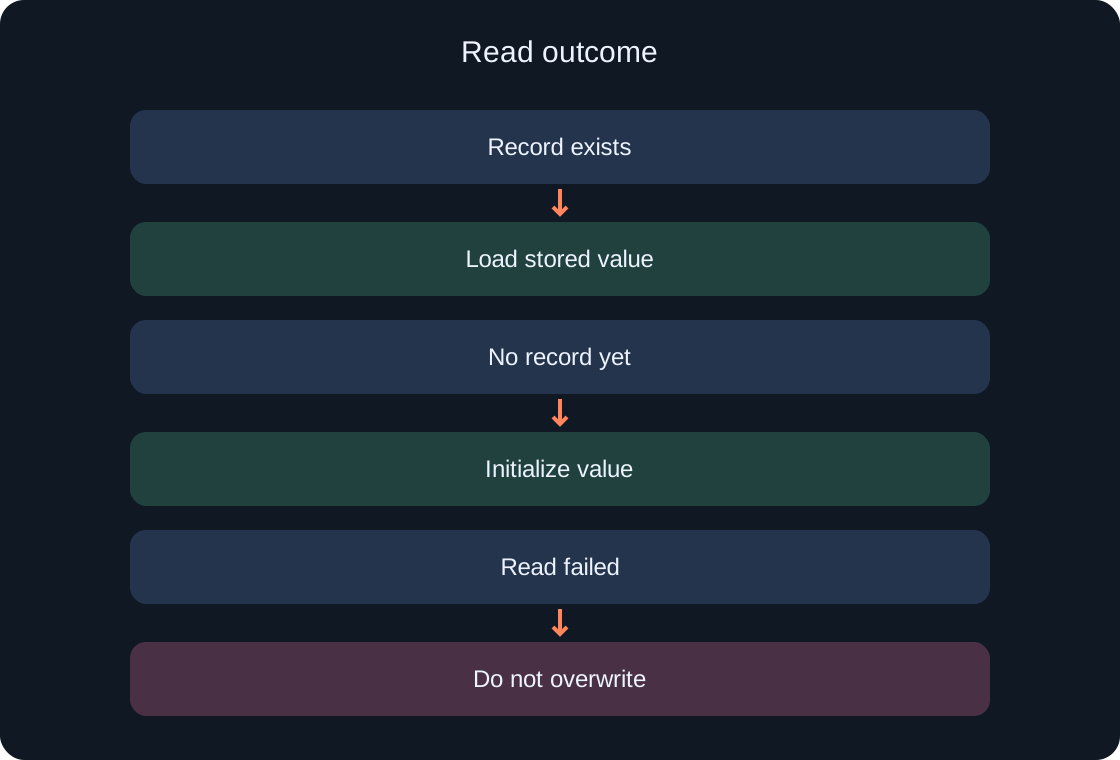
A successful first read may return nil because no value exists under that key. In this exercise, initialize the counter only after a successful read establishes that the record is absent. If the request failed, receiving no usable value does not tell you whether a saved profile exists.
Maintain explicit states such as Loading, Ready and LoadFailed. While Loading, actions that change progress remain unavailable. For LoadFailed, show a clear message and do not write zero over data whose contents are unknown. The first exercise can simply stop progress-changing actions and end the test. A retry strategy is a separate design decision, not an excuse to silently substitute a fresh profile.
 Open full-size image ↗
| State | Expected behavior |
|---|---|
| Loading | Progress changes unavailable |
| Ready | Server-authorized actions available |
| LoadFailed | Do not write initial profile |
Handle failure without claiming success #
Data store calls can fail. Roblox’s documentation demonstrates wrapping them with pcall, but pcall by itself does not make persistence reliable. Inspect its result and decide how the application responds to failure.
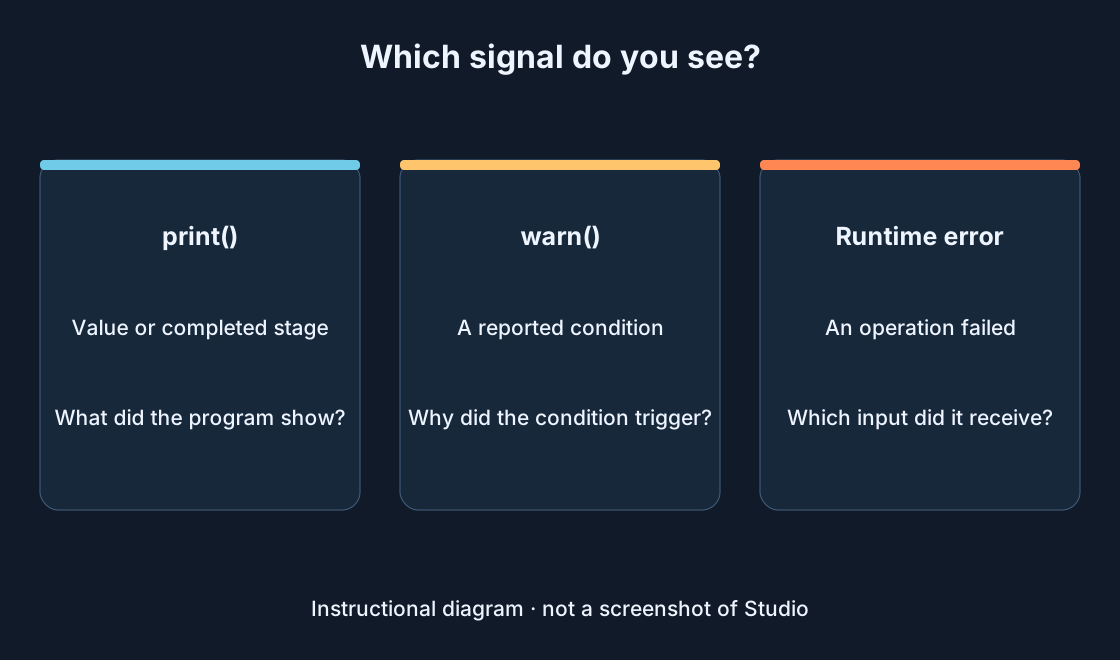
“Attempt sent” and “save confirmed” are separate states. Use distinct Output messages for loading, changing and saving. The interface must not display “saved” before the server receives a successful result. Avoid exposing complete profiles or personal information in a player-facing error. For this exercise, a short explanation and the failed stage are enough. Diagnostic detail belongs in the controlled test environment, where it can be compared with the expected sequence.
Understand how updates differ #
Compare SetAsync and UpdateAsync before choosing a write strategy. SetAsync writes a supplied value. UpdateAsync applies a transformation to the current stored value. When multiple servers write, setting an old local value may overwrite another change.
An UpdateAsync callback must not yield, for example by calling task.wait. Do not grant an external reward inside the transformation on the assumption that it always executes exactly once. Describe the data transformation first, and report a confirmed outcome separately. A full solution for concurrent player profiles needs additional design; the next guide will address that problem directly. This introductory explanation does not provide session ownership or purchase processing.
Put the learning code below in a ModuleScript named StoreExperiment in ServerScriptService. A server Script obtains the test store with DataStoreService:GetDataStore("GuidebookOrdersTest_v1"), requires the module and creates an adapter using StoreExperiment.new(store). Read with adapter:Load(player.UserId). After the server verifies an actual exercise action, call adapter:CompleteTestOrder(player.UserId). This is neither a button handler nor an automatic joining reward. Success returns true and a number; failure returns false and LoadFailed or SaveFailed. Compare the results with the table. Only integers from 0 to 1,000,000 are accepted, and the exercise stops at that chosen limit. A separate repeated call increments again: this is not an idempotent reward system. Local Luau checks used a fake store, without Studio or real API calls.
-- ModuleScript: StoreExperiment (ServerScriptService).
-- Learning adapter only; no sessions, receipts, retries or production economy.
local StoreExperiment = {}

local function keyFor(userId)
    assert(type(userId) == "number" and userId > 0
        and userId < math.huge and userId == math.floor(userId), "Invalid UserId")
    return "User_" .. tostring(userId)
end

local function counter(value)
    if value == nil then return 0 end
    assert(type(value) == "number" and value >= 0 and value <= 1000000
        and value == math.floor(value), "Unexpected counter format")
    return value
end

function StoreExperiment.new(store)
    local adapter = {}

    function adapter:Load(userId)
        local key = keyFor(userId)
        local ok, result = pcall(function()
            return counter(store:GetAsync(key))
        end)
        if not ok then return false, "LoadFailed" end
        return true, result
    end

    function adapter:CompleteTestOrder(userId)
        -- Call only after the server verifies the exercise action.
        -- A failed read never authorizes a write of initial data.
        local loaded = self:Load(userId)
        if not loaded then return false, "LoadFailed" end
        local key = keyFor(userId)
        local ok, result = pcall(function()
            return store:UpdateAsync(key, function(current)
                local value = counter(current)
                assert(value < 1000000, "Exercise counter limit reached")
                return value + 1
            end)
        end)
        if not ok then return false, "SaveFailed" end
        return true, result
    end

    return adapter
end

return StoreExperiment
Keep the exercise’s limits visible #
A learning counter is not a production wallet. Before using a live economy, decide who owns the profile across servers, how repeated operations are recognized, how network failures are handled and how pending writes are managed when a server closes.
Do not save every frame or whenever a label changes. Write frequency depends on service limits and acceptable progress loss. Here, inspect one deliberate write and read it in a new session. That narrow test helps explain persistence. It does not establish that one write is sufficient for every game, or that a successful request makes every later failure impossible.
Test two consecutive sessions #
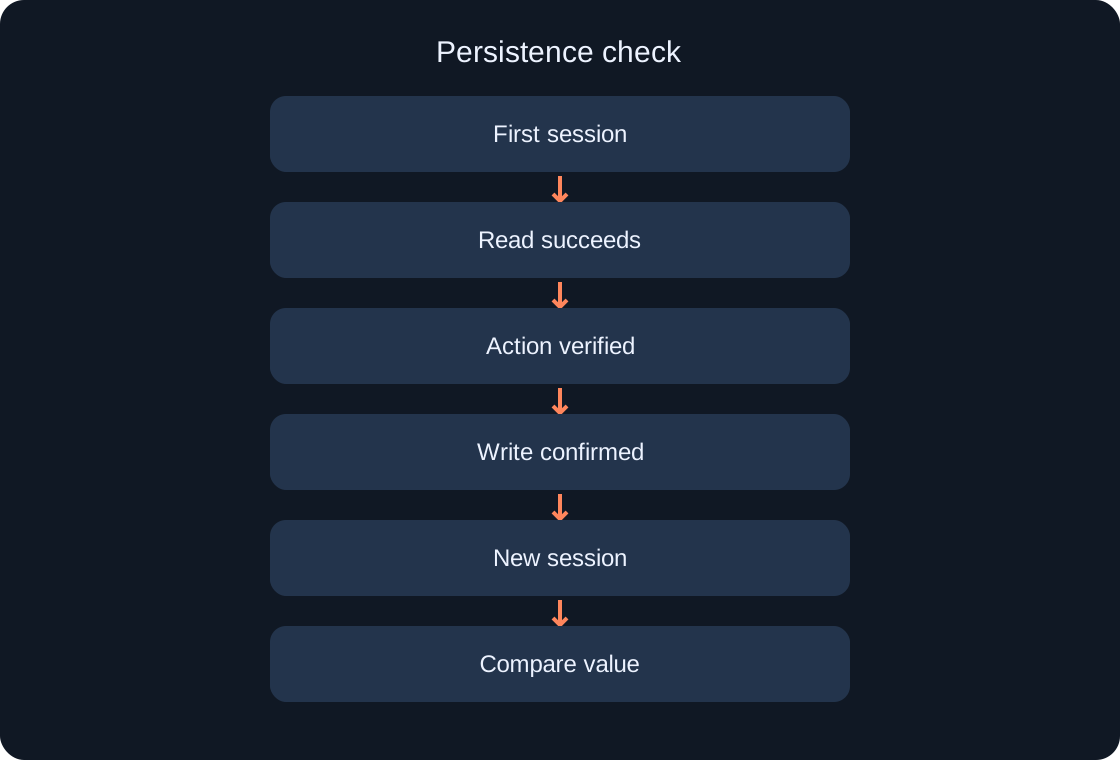
Prepare the test log before launching. In the first session, wait for successful loading, complete one test action, receive confirmation of the write and record the displayed counter. End the session. In the second, join the same test experience with the same account, store and key.
Compare the newly loaded value with the expected value. Restarting a single interface inside the old session is not a substitute for testing persistence. When investigating further, remember that GetAsync can use cached values: two immediate reads do not necessarily prove independent retrieval of the current backend state. Keep observations precise rather than describing every repeated read as a fresh server-side check.
 Open full-size image ↗
Check failures and player isolation #
Two successful joins are only part of the exercise. Verify that a different user receives a separate key and that changing one counter does not change the other. A load failure must not trigger writing initial data. A write failure must not produce a save-success message.
For a controlled check, separate the persistence interface from the rest of the game and temporarily use a learning adapter that returns a failure. Do not damage real records to create that condition. Simulation checks how your application branches, but an additional real-API test is still necessary. Label these as different checks instead of presenting a simulated response as evidence of a Roblox service interaction.
| Check | Passing result |
|---|---|
| Join again | Confirmed counter is loaded |
| Other player | Separate key and value |
| Read failure | No blank-data write |
| Write failure | No save-success message |
Investigate an unexpected zero #
Follow the chain: are you in the correct experience, does the store name match, did the intended UserId join, did the preceding write succeed, and did the application initialize data after a failed read? Read Output messages in sequence rather than looking only at the last red line.
Do not resolve uncertainty by deleting records in bulk. Save the test log and reproduce the cause using a separate key first. If an experiment accidentally reached a live game, stop experimental writes and investigate the available data-management tools. Repeatedly launching the same faulty logic can increase the damage rather than clarify its cause.
Define the finished first stage #
The exercise passes when the counter persists between confirmed sessions, users remain isolated, a failed load never becomes a blank-profile write and a failed save is never presented as success. Record actual results: accounts, environment, actions and observed values.
The next stage covers cross-server updates, bounded retries and profile ownership. Until those are checked, do not transfer the exercise into an existing game with purchases and collections. Studio has not been run for this draft. This material provides an explanation and test plan, not a report of a completed in-game test.
Original sources
Roblox Creator Hub — Data storesRoblox Creator Hub — Best practices for data stores