For players / ROBLOX
Robux and in-game coins: understand currencies, rewards and Roblox offers
Separate your Roblox balance from a game’s coins, gold and rewards. Read offers, verify one result and check saving with five game examples and two original diagrams.
Start with the unit, not the icon #
A number beside a coin does not explain what you own. One screen may show the Roblox account’s Robux balance, another a particular game’s coins, and another gold, tickets or quest points. Start by reading the label: what is the unit called, and in which game are you seeing it? Keep those two answers beside the number in your notes.
This guide helps you choose and verify an action. It is not an earning scheme. The pictures are original teaching diagrams, not shop screenshots. Our five game examples come from the author’s published descriptions; they are not independent gameplay tests or confirmation of live purchase prices.
1. Separate the account balance from the game balance #
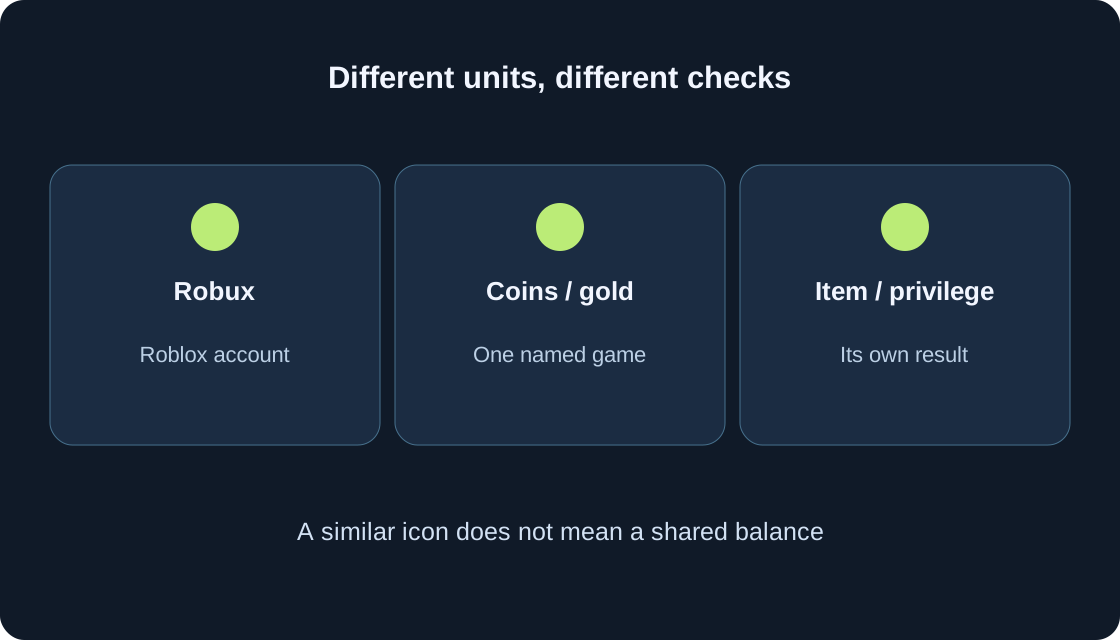
Robux is Roblox’s virtual currency. A game’s coins or gold follow that game’s rules; a similar-looking icon does not turn them into Robux. Open the intended game and write its full name so that you do not accidentally compare another project’s balance or another account. Note whether the number appears inside the game or in Roblox.
Two games using the word Coins do not thereby share a wallet. Do not assume rewards, purchases or progress carry between them. Look for an explicit explanation from the creator. The comparison table separates units, items and privileges: these are different results even when a single shop presents them together.
 Open full-size image ↗
| What you see | What to check | Do not assume |
|---|---|---|
| Robux | Roblox currency; account balance | Game coins equal Robux |
| Coins / gold / tickets | A unit of the named game; its rules | One wallet across all games |
| Game item | The relevant inventory | Account avatar-editor availability |
| Game privilege | Scope and conditions | Operation in another game |
2. Find one understandable gameplay action first #
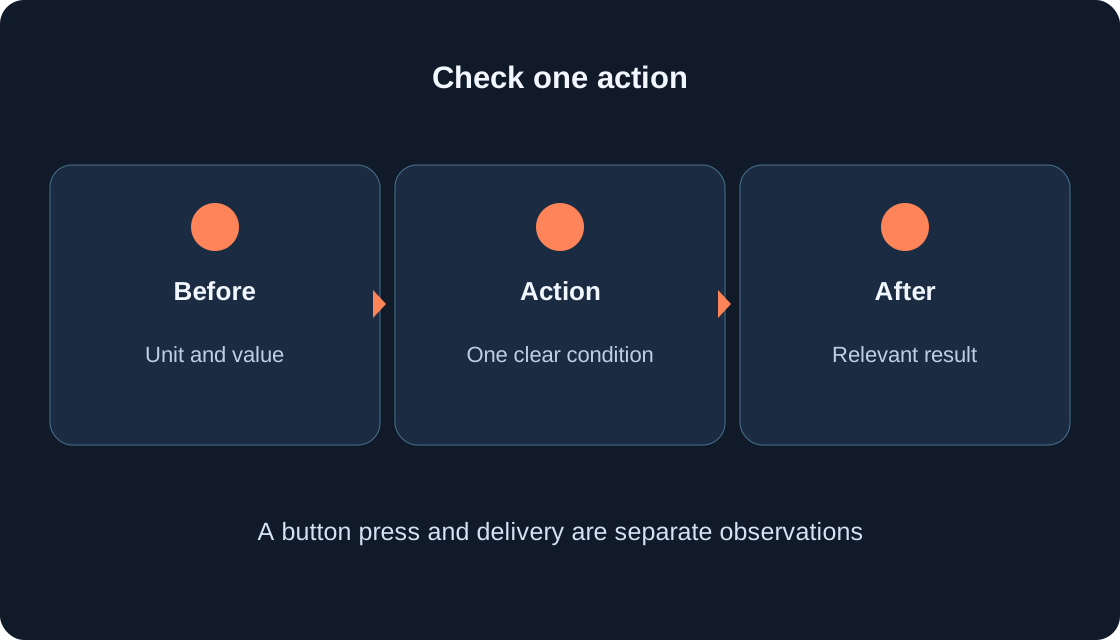
Read the starting instructions and choose an action with an observable outcome: pick up gold, complete a delivery or sell a find. Record the starting value, perform that action once, then compare the relevant counter. If a reward requires completing a task, simply touching an object may not meet the condition.
A paid shortcut does not have to be your starting point. First find out whether you understand the controls and enjoy the main activity. A fictional teaching example starts at 12 game coins and reaches 17 after an accepted delivery. That is a change within that imaginary game, not five Robux or a measured result from our tests.
3. Read the complete offer #
Before acting, identify the offer’s name, payment unit, quantity and promised outcome. Coins, a pass, a boost and automatic collection answer different questions. Artwork showing gold does not establish whether you receive a currency pack, access to an action or a separate item. Read the words rather than deciding from one image.
Check duration and scope separately: once, for a stated time, for one round or as a privilege in this game. Leave repeat delivery, transfer and saving as open questions unless the creator explains them. An old video or a neighbouring game does not replace the current offer. Pause before confirming if its wording does not match your expectation.
4. Distinguish a pass from a repeatable product #
Roblox documentation describes a pass as a one-time Robux fee for a game privilege. A developer product can be purchased repeatedly. For a player, the useful question is whether the result is a privilege or a separate resource allocation: the ability to buy another allocation does not make the first one an unlimited supply.
Do not automatically call every paid offer a pass. Find the specific type and terms; a VIP label or decorative icon is insufficient. A continuing privilege also does not establish a reward for every use, operation in other games or a promise that the game will never change. This check clarifies the offer without needing store code.
5. Check the decision before confirming #
Complete this sentence: “In this account, in this game, I use this unit to receive this result.” Compare it with the current offer and the official Roblox prompt if one appears. Check the amount shown now, not a price remembered from an article. This guide specifies no purchase price and does not open or approve purchases for you.
The checklist table gives questions to resolve before deciding. An unanswered row is a reason to find an explanation first. Avoid another confirmation while the previous action remains unclear. If you are a minor, agree any paid action with a parent or guardian. Uncertainty about the payment unit is enough reason to return to the description.
| Question before acting | Where to look |
|---|---|
| Which account and game? | Current profile and game name |
| Which payment unit? | Offer wording and Roblox prompt |
| What exactly is delivered? | Result description, not artwork |
| How long and where? | Offer conditions |
| How will you verify delivery? | Correct balance, inventory or privilege |
| Is the previous action understood? | Note of starting value and outcome |
6. Verify the result separately from the prompt #
A closed prompt does not tell you what changed in the game. Return to the relevant balance, owned-item list or the specific privilege described by the offer. Write down the starting state, action and observed outcome. A pressed button and a received result are separate observations, so keep both in your note.
For a currency pack, examine the corresponding balance; for a privilege, check its availability in the named game. Avoid mixing a sale, a new reward and a yard reset in one test. In the teaching example, a Coins increase does not verify Robux, and an item in a game inventory does not establish that it can be worn in Roblox’s account avatar editor.
 Open full-size image ↗
7. Distinguish rejoining from a progress reset #
Restart and new game can describe different actions. Rejoining a server, returning to a checkpoint and pressing a progress-reset button are not equivalent. Read the message beside the button before experimenting. If it warns about a reset, do not treat it as a harmless way to test wallet saving.
For an ordinary observation, record the value, finish a safe current step and compare later in the same account and game. Take saving conditions from the creator’s explanation. One observed rejoin answers one particular case; it does not prove transfer between games or guarantee preservation under every future update. Name the actual action instead of writing only “restarted”.
8. Example: Stone Trail gold and garage money #
Stone Trail: Temple Escape Run’s description says the first five collected gold unlock a free Firefly Trail and the wallet stays when restarting. The useful starting questions are how much gold you collected and whether the described reward appeared. Five gold should not be renamed five Robux. The description identifies a game reward, not an item confirmed for the account avatar editor.
Number Garage explicitly states that all game money is virtual. A plate’s value, a duel result and a quest reward concern the virtual collection. They are not real-money valuations. Begin with the starter car and first plate, then inspect the collection and counter appropriate to that activity.
9. Example: finds, pets and tickets #
Paws and Finds describes selling finds for coins and merging matching dogs. It lists Auto Collect and Auto Merge as optional permanent passes. Coins earned from a find and an automatic privilege are separate outcomes. Its description is not evidence of a current price; neither the name nor this comparison supplies one.
Cloud Nests says pets earn coins and directs the first egg from the central garden to an incubator. Meme City Wars separately names coins and XP from deliveries and tickets for themed cases. Do not add these units into one balance. These games are still developing: read the current starting instruction and compare only the measure associated with your chosen task.
10. When a result is missing or an exchange is offered #
Record the game, offer, time, account and visible outcome. First check the unit and condition: perhaps you are watching Coins instead of tickets, or expecting the reward before finishing a task. Keep the error message and a description of the action. Use the creator’s contact for a game-delivery question and official help for a Roblox problem. Do not publish passwords or login codes.
Do not resolve an unclear result by buying again. Pause if an outside site proposes converting game coins into Robux: a matching icon proves nothing. Roblox warns against fraudulent Robux generators. Installing an extension or handing over your account is not part of this guide.
11. Make a small verification card #
Write five lines: game and account; unit name; starting value; one action; observed result. Add a sixth when observing saving: the exact kind of rejoin you performed. For an offer, include its scope and duration. This card is more useful than “my money vanished”, because it identifies which measure and moment should be compared.
Finish with a concrete next step: continue the understood gameplay action, reread a condition or contact the appropriate help with a clear description. Buying is not required to understand the main loop. To try our games, choose one entry in the catalogue and follow that game’s starting instructions. Repeat the process for another game while checking its own names and rules afresh.
Original sources
Roblox SupportRoblox Support — Robux generators and scams
Roblox Creator Hub — passes
Roblox Creator Hub — developer products
Roblox Support — contact
Roblox — Stone Trail: Temple Escape Run
Roblox — Cloud Nests
Roblox — Number Garage
Roblox — Paws and Finds
Roblox — Meme City Wars