For players / ROBLOX
Roblox codes: where to redeem promo, game and gift card codes
Choose the correct redemption route, check the account and understand a failed result. Includes mobile steps, comparison tables and two diagrams.
 Open full-size image ↗
Identify your code first #
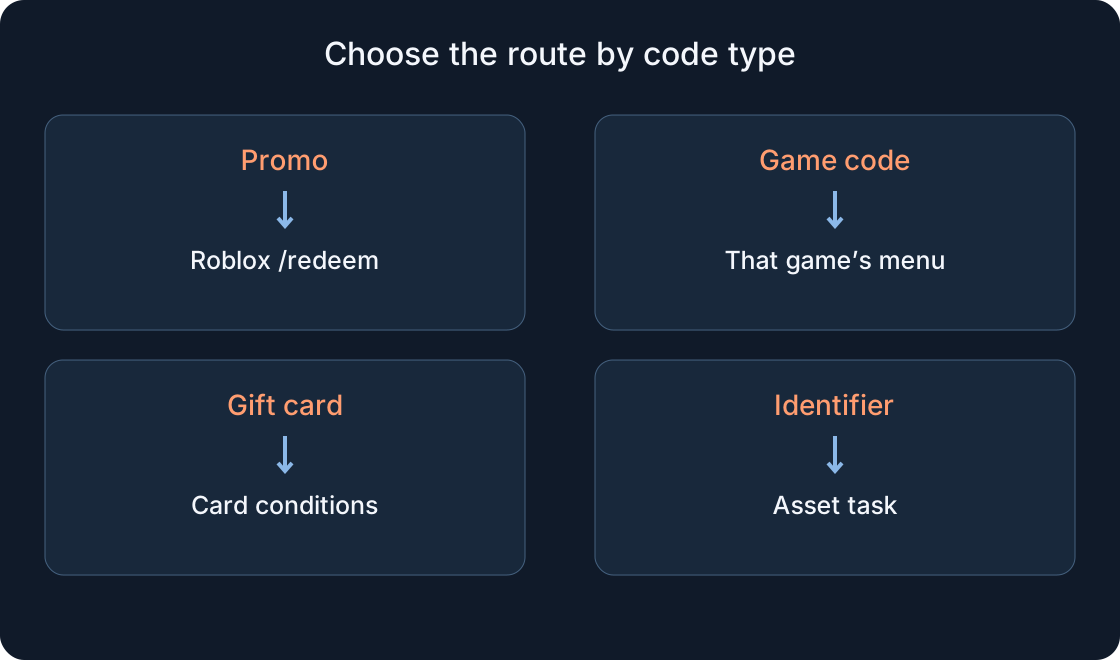
A Roblox promotion, a reward inside one experience and a gift card are different kinds of codes. An audio or asset ID is another kind of identifier. Start by asking who issued the code and what result it promises.
This guide explains the routes; it does not claim that a list of untested codes works today. Record the promotion or game name, source and expected reward before entering anything.
1. Separate four types #
Use the official promotion terms for a platform promo. For an experience reward, match the exact game and creator; similar names do not make rewards interchangeable. Keep gift card details private. An audio ID does not belong in a gift card field.
Teaching example: “event code”, “pet reward in game A” and “song number” are three tasks, not three attempts in one box. The comparison table helps choose a route. These labels are examples, not usable codes.
| Type | Where to look |
|---|---|
| Roblox promo | Official event and /redeem |
| One game’s reward | Its developer’s instructions |
| Gift card | Card terms and /redeem |
| Audio or asset ID | The specific asset task |
2. Redeem an official promo #
Roblox’s official instructions use www.roblox.com/redeem: sign in to the intended account, enter the code and select Redeem. Check the result message. The official page and support instructions are linked in Sources.
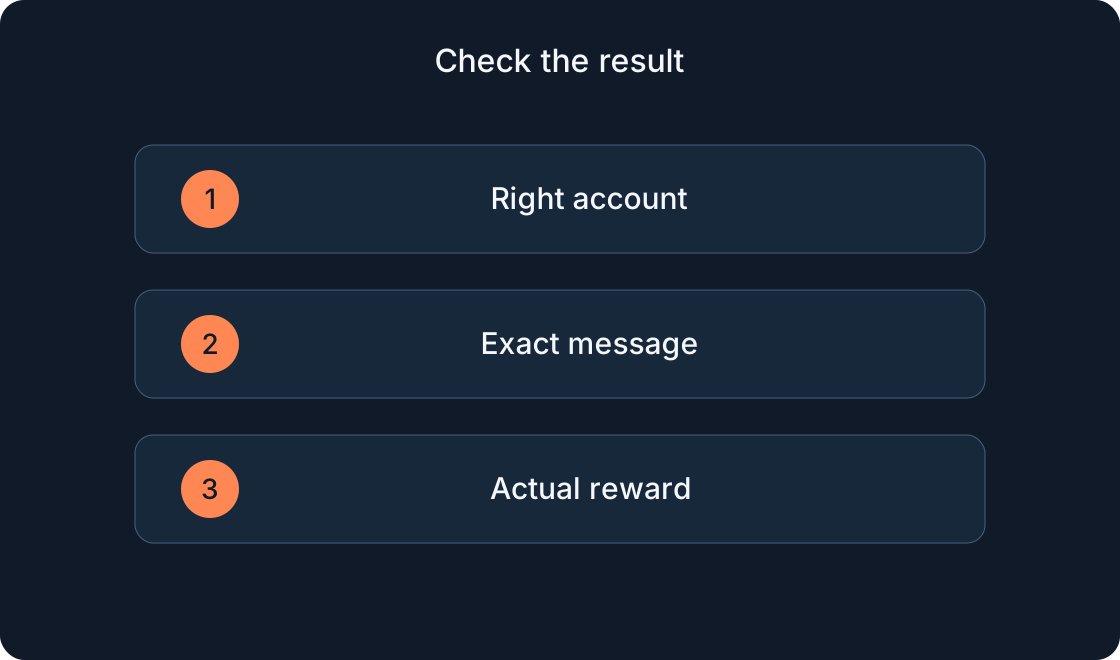
Check the account name before confirming, especially on a shared device. A familiar avatar is not enough to identify a profile. Record the actual reward and check its appropriate inventory category; a success message and finding the item are separate checks.
3. Redeem a specific game’s code #
Open the exact experience named by its developer, confirm its creator, launch it and read the current reward instructions. A Codes or Gifts menu depends on that game; there is no universal location.
If the creator says to use Codes, look inside that experience. If the current interface lacks the field, check the creator’s update instead of inventing a hidden shortcut. This article does not establish that the five games in our catalogue currently offer codes.
4. Follow the gift card route #
Gift cards have their own instructions. Roblox’s main route is www.roblox.com/redeem in a browser. The result depends on the card type; do not replace its terms with a promise of any item or a fixed Robux amount.
Read your card’s conditions and check the account. Enter the details carefully and save the result privately. For an unresolved purchase issue use official support. An unused PIN should not be posted in a public comment.
5. Use a phone browser #
Open your phone’s browser and go directly to www.roblox.com/redeem. Check the address and account before using the form. Enlarge the field if needed and keep the result message visible. Launching an experience in the app is a separate task.
Support describes a Samsung Galaxy app redemption option. For the standard mobile app and consoles, use the browser route. If your interface differs, follow the current official guide rather than an old video screenshot.
6. Troubleshoot in order #
Check the code type and destination first. Compare the characters with the source, including extra spaces or missing letters. Then check the promotion conditions and whether it was used before. Change one thing per attempt.
Record the exact message. Repeating an expired code does not extend the event, and a different game needs a different route. Check inventory if the reward may already be owned. The table describes symptoms, not guaranteed interface wording.
 Open full-size image ↗
| Observation | Next check |
|---|---|
| Code rejected | Type, destination and characters |
| Event ended | Current original conditions |
| Item already owned | Correct inventory category |
| Success message | The promised actual reward |
7. Assess “working codes” lists #
Look for the issuer, original source and redemption instructions. An article’s new date does not prove every code was checked that day. Comment counts are not promotion terms.
Keep a simple record: game or event → source → check date → message → actual reward. Treat an unsupported entry as unverified. A password or one-time sign-in code is account access information, not a reward code.
8. Confirm the actual result #
Return to the promised result: avatar item, balance or in-game reward. Check the corresponding location. “Accepted” does not automatically mean every reward type was granted. Keep the message and steps if support is needed.
This guide does not make a code a requirement for trying the creator’s games. Our catalogue links to their Roblox pages and starting guides. A future developer promotion must be assessed using its own published conditions.
Original sources
Roblox SupportRoblox — Redeem
Roblox Support — gift cards
Roblox Support — toy and virtual item codes