Studio / ROBLOX
Roblox game icons: checking a small card for readability
Prepare a clear visual idea and review it at a small size. This plan helps explain the game to future players and gives an artist a concrete brief without promising guaranteed traffic growth.
Choose one main meaning #
Imagine a fictional parcel-delivery game: a character picks up a box and takes it along a short route. This is a development exercise, not a newly published game by the site author. Start with the sentence you want a viewer to understand: I deliver parcels here. Use it to guide the image.
Do not try to show the entire economy, ten districts and every planned vehicle on the first small card. Choose a main object and one understandable action for the exercise. If the image promises a car chase but the first gameplay step is quiet box sorting, record the mismatch before drawing.
Distinguish icons from wide thumbnails #
The official documentation treats a game icon and supplementary thumbnails as different materials. An icon is square; the help recommends a 512×512 template. An image thumbnail uses 16:9, ideally 1920×1080. Do not transfer a composition between them without a separate review.
Create two briefs for the practice project even if both use a character with a parcel. The square can convey the main subject, while the wide view explains a route or action. An important part can be lost when adapting the image to another frame. Check each shape instead of stretching one finished file.
Start with simple variants #
Draw two rough ideas with your own tools. In variant A, the character holds a large box against a quiet background. In variant B, the box occupies the center and a road guides the eye toward the goal. These are original concepts for discussion, not results of a measured performance test.
Write the difference in one sentence: what should explain delivery faster? Avoid changing the story, palette, name and character style together. Otherwise, the comparison becomes a choice between entirely different promises. For a first review, change the main object's placement while keeping the rest of the idea stable.
Inspect the small card #
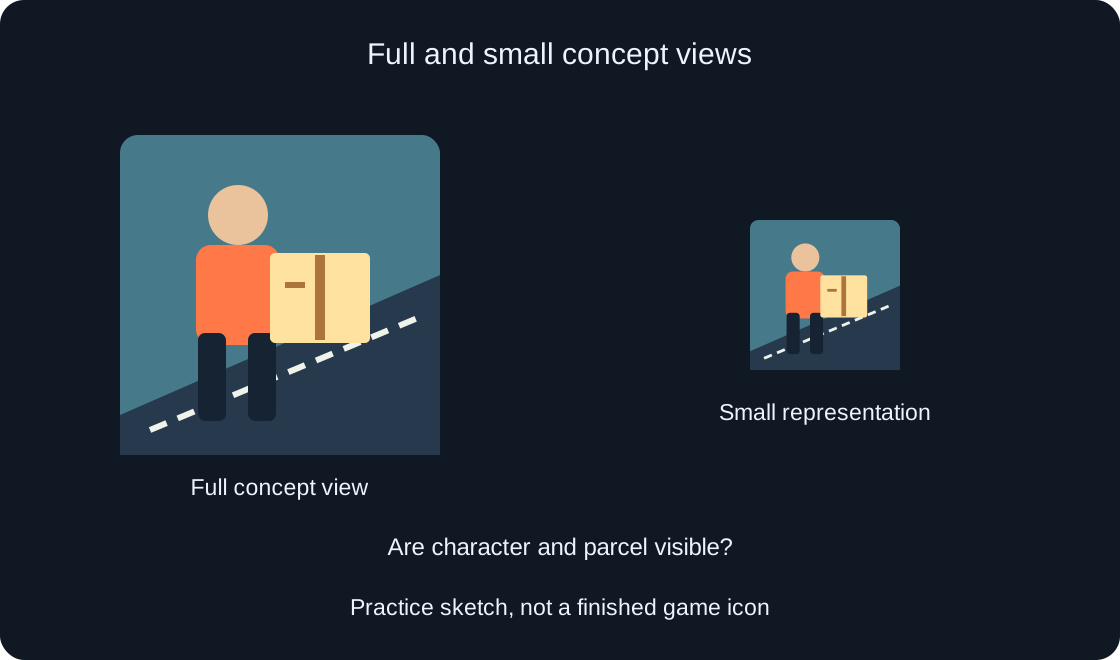
The help notes that icons appear at smaller sizes, such as 150×150. Make your own reduced view of the concept and compare it with the original. A large attractive file alone does not establish that the small card works.
Ask three practice questions: is the box visible, is the character distinguishable, and is the main scene understandable? If details disappear, remove optional objects first. Do not compensate by adding ever more outlines and captions. Record the element lost specifically after reduction so that the artist can fix a concrete issue.
 Open full-size image ↗
Separate subject and background #
For the parcel variant, compare the main subject with its immediate surroundings. If the box and wall are equally dark, the silhouette may become unclear. This is an observation about your concept, not a universal instruction to use one particular palette for every game.
Make one local change: alter the background behind the subject or simplify the surroundings, then inspect the small view again. Compare whether the game's mood survives. A friendly practice route and a tense adventure can need different visual explanations. Do not choose a color solely because it is bright at full size.
Review lettering separately #
If the concept includes a title, inspect it as part of the small composition. Prepare one variant without text and another with a short name. Compare whether the image explains delivery by itself. Small lettering should not be the only carrier of meaning.
For multiple languages, give each its own row in the brief. A translation may take more space or use a different writing direction. Do not claim that a reviewed Russian label already works for all six languages. Record the version actually viewed and what remained readable in it.
Compare the promise with the first minute #
Open your project description and list actions actually available to a newcomer. In the fictional example, these are receiving a parcel and starting a short route. Compare that list with the concept. A hero flying a nonexistent aircraft creates a different expectation.
Do not replace this comparison with a promise to add it later. Prepare artwork for the current version and save the future-update idea separately. This plan does not verify any existing game's behavior; its author must review the actual project. A brief can list available actions and details still in development.
Record the source materials #
Save the image or drawing source, working file and variant name. If using someone else's assets, establish permitted use before preparing the final work. A link to an attractive picture does not automatically mean that it can be included in your icon.
For the exercise, record variant A, character and box, large and small views checked, lettering still unresolved. That is a next-iteration brief, not platform-approved artwork. Keep source, export and publication result clearly named instead of mixing them into one file.
Treat uploading as a separate stage #
The help describes Creator Dashboard, Configure → Places, the start place and Icon. Uploaded icons are moderated before appearing to other users. We have not uploaded or replaced your game icons; this article prepares material for a later decision.
Before a separate upload, confirm the game, start place and selected file again. An artist's review does not guarantee moderation approval. Keep the previous version and your intention record. Do not describe the new variant as public just because a local export is ready.
| Check | Record |
|---|---|
| Main subject | Is the action understandable? |
| Small view | What disappeared after reduction? |
| Title translation | Which version was actually checked? |
| First gameplay step | Does it match the image promise? |
Deliver a reviewable brief #
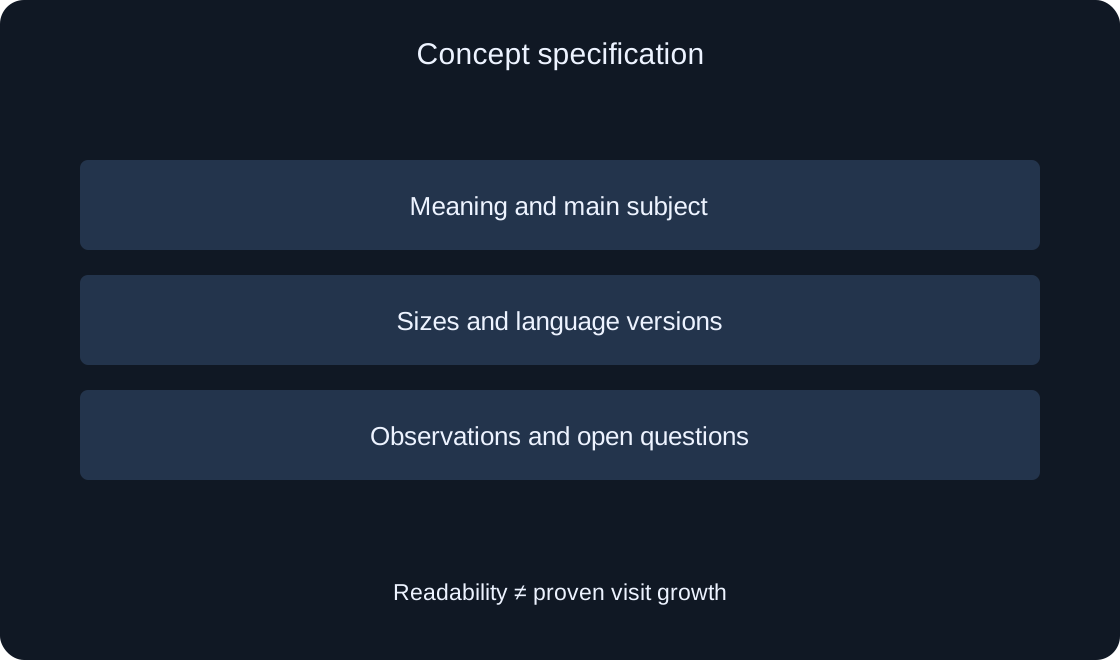
Collect a short specification: game's meaning, main subject, chosen variant, reviewed sizes, language versions and unresolved questions. Include your own full and small views. This article's diagrams explain stages; they are not an actual game screen or an upload result.
If you later measure performance, distinguish editorial judgment from data: readability in a review does not prove more visits. Record conditions and actual observations before declaring a winning variant. This guide helps prepare clear artwork and a sensible checking plan; it promises neither search positions nor a particular player count.
 Open full-size image ↗
| Field | Contents |
|---|---|
| Idea | Available player action |
| Variant | Main composition change |
| Review | Full and small sizes |
| Status | Draft, export or publication |
Original sources
Roblox Creator Hub — IconsRoblox Creator Hub — Thumbnails