For players / ROBLOX
Roblox Party: check whether friends actually joined your co-play session
Separate the chat group, active Party, experience invitation and actual arrival in the game. An original two-friend journal identifies the stage where co-play stopped without promising identical spawn locations or voice access.
Choose a small co-play goal #
For a first attempt, choose a simple goal: two friends open one intended experience and understand their session state. Avoid simultaneously testing voice, several game transitions and every communication setting. Too many tasks make it unclear whether the invitation, active membership or game arrival failed. One verification route produces a clearer outcome that each participant can describe independently.
The exercise uses fictional Player A and Player B. They want to try an imaginary training route that this article neither creates nor presents as an existing experience. Each keeps a separate record: invitation observed, active Party joined, game selected and actual arrival checked. This is an original worksheet. We did not invite real accounts or run a grouped session for the reader.
Distinguish a Party from an active Party #
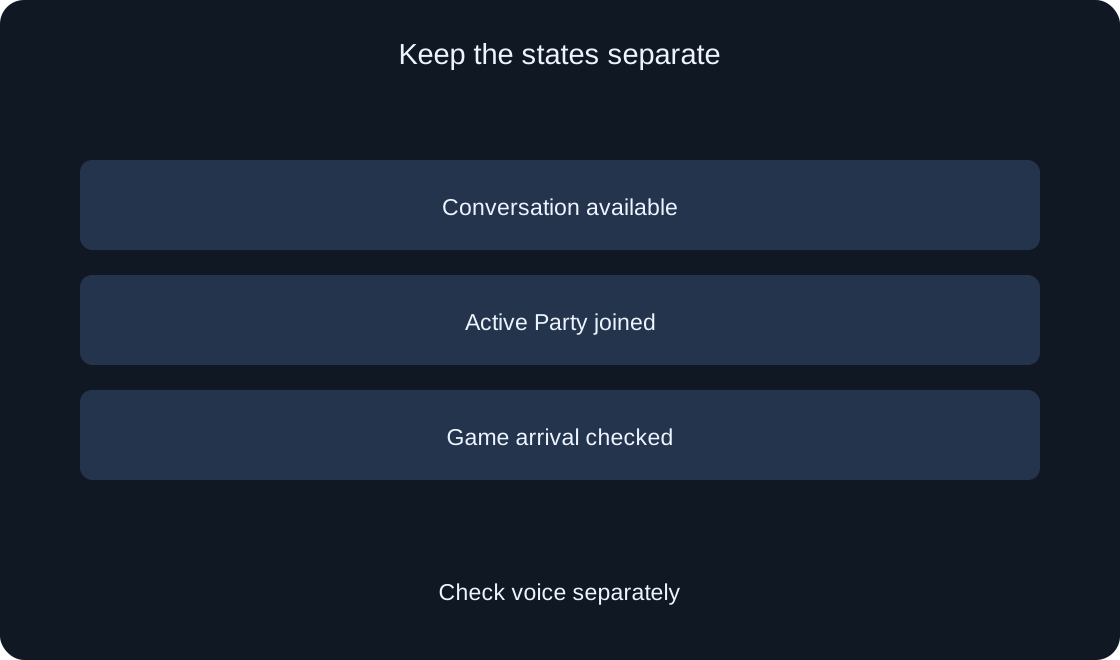
The official FAQ distinguishes an asynchronous communication group from an active Party used for co-play. Having a conversation does not itself establish that the active game connection has started. Begin by reading the current visible state. Do not transfer an entry saying that the group is visible into an entry saying that you are already playing together without further observations.
Our worksheet keeps separate fields for an available group and confirmed active participation. If Player A sees a conversation while Player B only sees an invitation, their records concern different stages. Clarify what each can access before diagnosing the entire Party as broken. A Community and its joining request are another mechanism; membership there does not confirm participation in an active Party.
Locate the current communication surface #
The communication help page describes a change from the Party tab name to Chat, with regional and account differences. Use the current friends communication surface rather than demanding one unchanging label on every device. Open the intended conversation or section and read its available actions. A difference from an older video is not automatically an interface malfunction or proof that a feature disappeared.
Keep friends chat distinct from communication inside an experience. Access to one conversation does not guarantee access to another. At this stage, recording the device and the visible section name is sufficient. If communication is restricted, consult the account's current official conditions. We do not alter settings, perform an age check or devise ways to bypass restrictions in this guide.
 Open full-size image ↗
Start with an understandable participant list #
The FAQ describes Start Party through the communication section, selecting friends and confirming Start. Invitations are for existing friends, with a maximum of six participants. Before acting, inspect the intended list and goal. Two people are easier than a large group for the first worksheet: fewer records need comparing, and a participant who has not reached the active stage is easier to identify.
After creation, record only the observable result. A name appearing in your selection does not necessarily prove that the other person has seen or accepted every required invitation. Do not invite all contacts just to test a control, or present preparing the list as a completed game session. The article describes a self-check sequence; it does not take actions inside your account.
Check invitation receipt separately #
The official joining route includes Join from an invitation notification; a missed invitation can be located through the communication section and active Party. If Player B has not observed it, preserve that as a separate finding. Do not immediately infer rejection, a server fault or completed participation. Compare the intended friend and available invitation state before moving the worksheet to a later stage.
The fictional journal gives sender and recipient different fields: action performed and notification observed. One entry does not prove the other. If the permitted interface offers an acceptance decision, read the participants and invitation details before choosing. Avoid repeatedly adding someone as an experiment. Our example sends no messages and creates no invitations on behalf of readers or their friends.
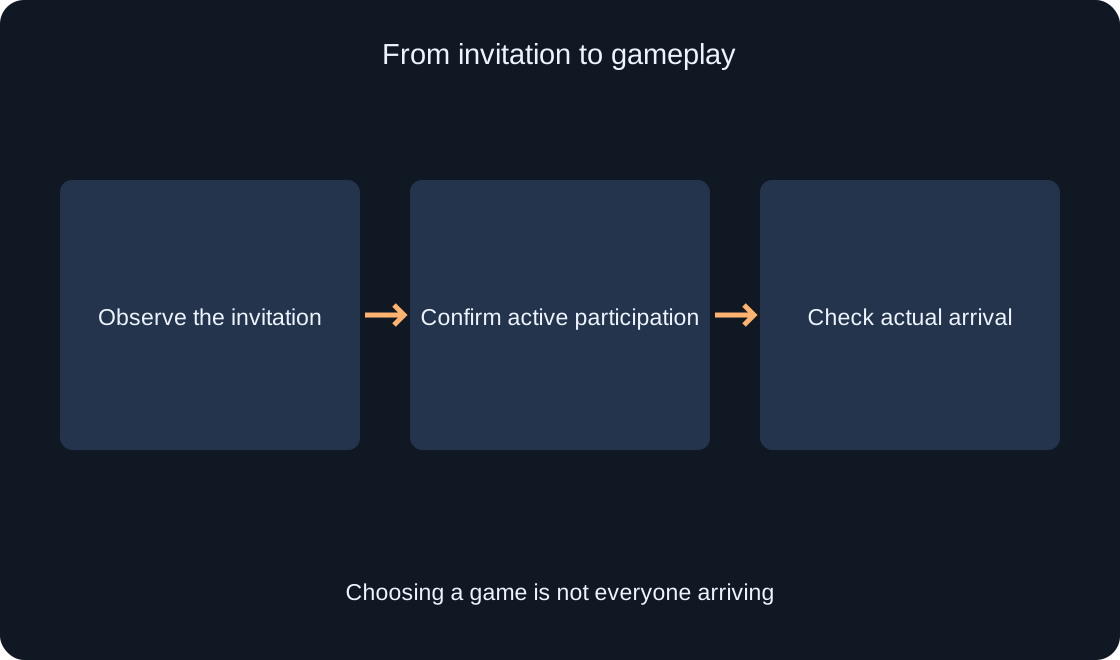
Selecting a game is not everyone's arrival #
Join with Party is used for the selected experience. Members receive an invitation but may choose a different game while remaining connected to the Party. One person's selection therefore does not establish arrival for the complete group. Record the exact experience title and URL, then compare each participant's actual state separately rather than treating the sender's action as a shared result.
Player A might write selected the route while Player B writes invitation visible, not yet in the game. That is a consistent intermediate situation, not two contradictory reports. A loading screen alone should not count as arrival. Check whether a controllable game scene appeared and whether it belongs to the intended experience. The particular form of that evidence depends on the game's interface and behavior.
 Open full-size image ↗
Check the co-play outcome in the experience #
Once both have entered, compare information you can really observe: intended experience, character availability and the ability to perform an ordinary action. Do not demand a shared spawn point or matching team as universal proof of success. The FAQ makes some additional co-play behavior dependent on the game's Party API support. This article did not verify that integration for our five experiences.
Keep arrival separate from seeing a friend on screen. If a participant is exploring elsewhere, absence from the current view does not necessarily prove a different server. Use available game information and a clear comparison instead of inventing unknown session identifiers. Preserve uncertainty when evidence is insufficient. We did not run an actual grouped gameplay test and do not promise its outcome in advance.
| Stage | What to check |
|---|---|
| Invitation | Notification observed |
| Active participation | Current visible state |
| Chosen experience | Name and URL |
| Actual arrival | Controllable scene |
Check communication as its own capability #
Text and voice availability depend on account conditions, age, region and communication settings. An active Party does not prove that every participant has voice access. First establish which function is visible and permitted for that participant. Check it separately from joining the experience. Otherwise, different restrictions may be incorrectly combined into one supposed co-play launching problem with one imagined cause.
A useful record can say active session joined, voice unavailable without inventing an explanation. Do not change age data or send verification codes and documents to friends to fix communication. For an issue description, the device, visible function and observed result are enough. Reader settings were not inspected; the worksheet expresses an observation order rather than the private permissions of an individual account.
Separate leaving active co-play from ending the chat #
The FAQ describes leaving an active Party through its red close button. This ends co-play participation, while the group conversation may remain available. Before acting, clarify whether you want to end shared navigation, leave the game or leave the conversation. Similar words for leaving concern different states and cannot replace reading what a particular command is meant to change.
For the exercise, update the active-participation field and inspect what remains. Ending a game session does not mean deleting an account, leaving a Community or removing an entire conversation. Do not use group deletion as a test of the red close button. If you later return to co-play, treat it as another stage and verify the actual active Party; only one can be active at a time.
Finish with a verified session journal #
Keep four entries for each participant: invitation observed, active participation confirmed, intended experience identified and actual arrival checked. Add text or voice separately only if you investigated its availability. The fictional worksheet can be completed as a plan without account actions. Real entries should concern observed outcomes rather than the invitation sender's expectations about what happened on somebody else's device.
If something fails, describe the last understood stage and first mismatch. An invitation followed by incomplete arrival is a different issue from unavailable voice. The official sources help verify changing interface details. The article, journal and diagrams are original; they are not a report on readers' accounts or a guarantee that friends will spawn together in every Roblox experience.
| Participant | Record |
|---|---|
| Player A | Selected the route |
| Player B | Sees an invitation |
| Both players | Compare actual arrival |
| Voice | Separate capability |
Original sources
Roblox Support — Party FAQRoblox Support — How to message and chat with friends