For players / ROBLOX
Roblox public servers: find the list, choose a session and verify joining
Read an available server list, distinguish a session from the game, and check joining together, rejoining and saved progress as separate results.
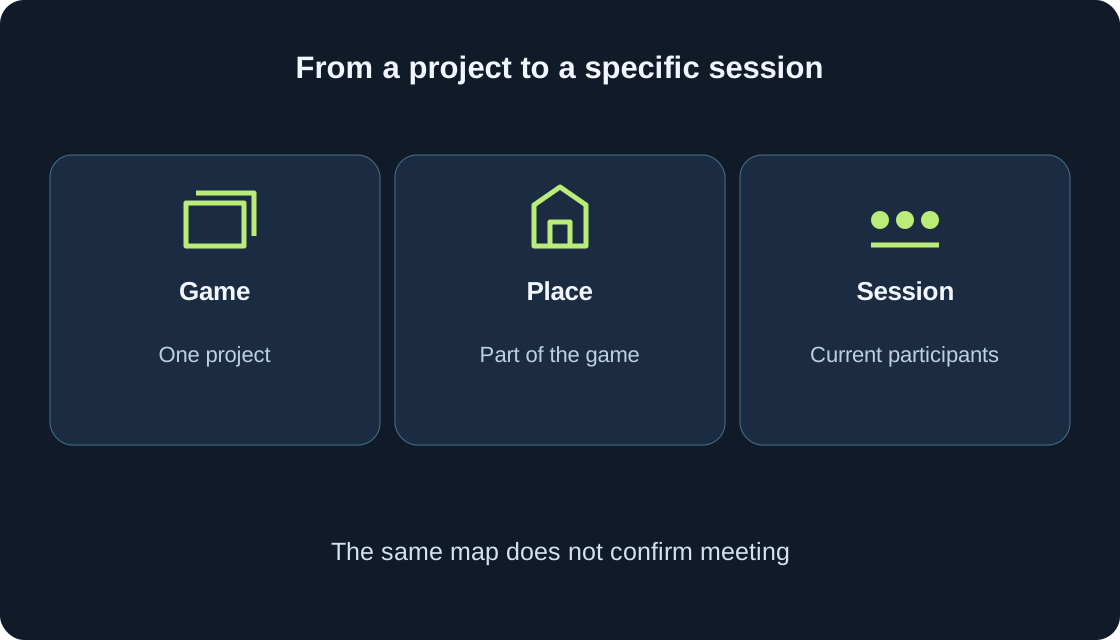
A game, place and session are different #
A game page identifies a project, not one enormous room containing every player. A Roblox game can contain one or several places. Different server sessions can run for a place; Roblox documentation distinguishes movement between places from movement between servers. Two identical maps on your screens therefore do not establish that you are together in the same session.
For a player, separate three questions: which game did I open, where did I enter, and whom did I actually meet? Check the title, creator and page address first, then the available server list. This ordinary route needs no extracted technical session ID, script or extension. We discuss regular public sessions; our examples are teaching cases, not gameplay tests.
 Open full-size image ↗
Find Servers on the game’s page #
Official Roblox help points to the Servers section at the bottom of an experience page in the app or website. Open the exact page you need, find that section and allow it to reach a clear loading result. Your version may present it as a tab or a block. Look for the available ordinary server list rather than treating Private Servers as the general public list.
If you only see private-server creation, do not create or buy one for this task. A separate guide covers private-server management. Here you need an available public-session card or an explicit explanation of missing cards. Record the state first: list, loading, empty result or error. These states call for different next steps, and control positions need not match across devices.
Read only what a card actually shows #
Use information displayed by that interface. When player count and capacity appear, compare them; read any additional labels before entering. Do not infer region, server age, speed or mode when the card supplies none of those details. Participant pictures also do not establish the entire membership or guarantee a particular person’s presence after you connect.
The first table explains which check each observation supports. A list can change between viewing and entering as people join or leave. Record the viewing time, especially when coordinating with a friend. If sorting or filters exist, use only options that are present and understandable. This guide does not promise their availability or identical labels in every version of Roblox.
| Visible information | Supported check | Unsupported conclusion |
|---|---|---|
| Title and address | Correct game page | All players share one session |
| Players / capacity | Displayed occupancy now | A space reserved for you |
| Card without entry action | Control availability and explanation | Another hidden Join must exist |
| Empty area | Empty result, loading or error | Every server has disappeared |
| Friend in current player list | Observed presence | They will remain after your exit |
| Refusal notice | Exact text, code and route | A cause without further checking |
Choose for one clear purpose #
Decide what you need now: ordinary entry, a less crowded session, or meeting someone who agrees to play together. Different purposes can lead to different choices. A small participant count does not prove low latency; a large one does not guarantee suitable partners or enjoyable play. Start with one criterion you can check in the available card.
A teaching example shows “3 of 12” and “11 of 12” while two of you plan to join. The first displays more space, but it is neither a reservation nor a promise of joining together. Twelve is an invented capacity for the example, not a universal Roblox limit. You must still verify each person’s actual entry and the conditions inside the game.
When a session is full #
Fullness concerns one session at one time, not every server of that game. When the selected card or message says no places are available, choose another available option or revisit the list later. Repeated pressing creates no extra space and does not establish that you are held in a queue. Follow only waiting information actually shown by the interface.
Do not expect a space to remain while your friend finds the page. Even two displayed spaces are not a shared reservation for your pair. Agree on the next observable step: who stays, who checks entry, and what happens after refusal. Avoid making the whole group leave unnecessarily. First establish whose attempt failed and what notice appeared, so the next action addresses the actual obstacle.
Separate an empty result from loading or error #
An empty result means no cards are shown in that view. It does not prove deletion of the game or absence of every possible session. A loading indicator is not an empty list. A data-loading error deserves its exact wording rather than the conclusion “there are no servers”. Separate the list’s present state from the game’s overall availability.
Check the page address and selected section. When additional result pages or filters are available, inspect their state instead of assuming the first results are complete. Reopen the section once and compare. If the situation stays unchanged, record the date and device and consult official help or the creator’s updates. Endless refreshing or entering numerous sessions is unnecessary for a useful observation.
An entry attempt is not completed entry #
Use the entry action supplied on your selected card when available. If it is labelled Join, that is a control in your current version, not a promised button on every card. The general Play action launches the game but does not by itself establish selection of the session you were just viewing in the list.
Select once and watch the next stage: client opening, loading, character appearing or a refusal message. An opened client is not completed joining. After loading, check the visible game state and an ordinary available action. If the game moves you onward into another place or match, check where you arrived again. An internal transition can change the context in which you expect to meet other players.
Keep useful evidence from a joining error #
Record exact text and an error code if present, date, device, game address and route: chosen card or general Play. Similar waiting screens can end for different reasons, so a code is more useful than “nothing works”. Official help associates 524, for example, with access permissions and possible temporary unavailability; a code alone does not establish the specific cause for your account.
Separate refusal of one session from general launch trouble. If the interface offers another ordinary server, one calm comparison attempt can supply evidence without proving a diagnosis. Use our separate connection-error guide for network codes. Buying a private server, removing account restrictions or executing someone’s code is not a universal remedy. First identify the observed result and the matching official instruction.
Verify that your friend is actually present #
A public list and a shared game title do not confirm playing together. Official help describes joining a player when their settings and your entry permissions allow it. If that ordinary option is available and the person agrees, use it. Friend addition is covered separately; this section concerns the result after entry rather than repeating account setup.
Check the specific person through an available player list and a clear shared action in the same place. Similar display names or avatars can confuse identification, so use the exact username where possible. Do not demand changes to another person’s visibility restrictions. Absence may involve a different session, another place or leaving already. Without further information, record “did not meet”, not “the friends feature is broken”.
Make a session change purposeful #
A change has a concrete purpose: the selected session refuses entry, you have not met, or another available option is needed. Decide first what should differ after the transition. Record the current condition and finish an important action according to the game’s rules. Then use the ordinary available exit and re-enter through the appropriate page or card.
Pressing Play again does not guarantee a completely new session. A changed participant list also does not prove a change, because people can join and leave one session. Compare session information if the game provides it; such information is not promised in every project. After entry, check the intended result again. One purposeful comparison is more useful than a loop of unrecorded attempts.
Saved progress needs its own check #
Roblox provides developer data stores for progress between sessions, but that does not promise storage of every action in every game. Creators decide what to retain and how to explain it. Round state, character position, checkpoint and a collection may follow different rules. Changing server is not a universal reset or recovery mechanism for all progress.
Before leaving, read the game’s saving instructions. An unfinished operation or data-loading error means you should not immediately interpret an empty collection as final loss. The second table separates re-entry from checking a retained value. Do not test persistence with a purchase or valuable trade. A question to the creator can record expected state, observed state and transition conditions without promising that restoration is possible.
| Separate result | Useful observation | Next question |
|---|---|---|
| Entry | Character appeared; ordinary action available | Correct session and place |
| Joint presence | Specific person found in same place | Meeting retained after transition |
| Retained value | Expected and observed under game rules | Which other data are saved at all |
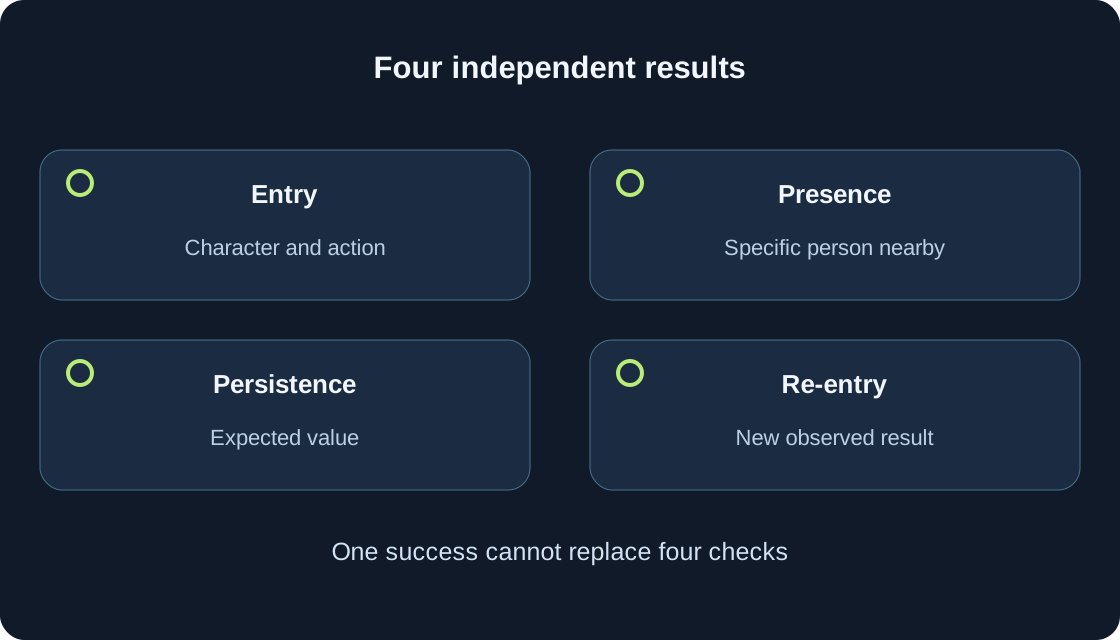
| Re-entry | Date, route, stage and outcome | Session, meeting and data separately |
| Data still loading | Safe exact notice wording | Creator help; not proven loss |
A short re-entry plan #
Keep one line containing game and address, date, device, chosen route, entry stage and result. For joint play add “person found / not found”; for progress add “value checked / rules unknown”. These fields answer different questions. A character appearing does not prove meeting a friend; meeting does not prove that a collection persists through the next exit.
On re-entry, compare exactly what motivated the transition. Stop checking when the task is resolved. If not, send a brief observation and safe exact error wording to the appropriate help without passwords or private data. One game’s interface and saving rules belong with creator help; platform conditions belong with official support. This article supplies a plan, not completed session entries or account-setting changes.
 Open full-size image ↗
Original sources
Roblox Support — locating the Servers sectionRoblox Creator Hub — games and places
Roblox Creator Hub — separate places and server instances
Roblox Support — permitted joining of another player
Roblox Support — online status and visibility
Roblox Support — error 524 and possible causes
Roblox Creator Hub — data retained between sessions
Roblox Creator Hub — player data implementation and loading issues