For players / ROBLOX
How to contact Roblox Support with a clear request
Choose the right help route, describe an observable problem and keep useful updates together. Includes an anonymous teaching report and a simple contact record.
Start with the result you need #
A useful support request lets another person understand what happened without watching your whole play session. Begin with one problem and the next step you need help choosing. “Roblox is broken” leaves the reader to guess whether you cannot sign in, cannot launch a game or cannot use a feature inside one game.
This guide prepares a request; it does not submit one or establish what happened to your account. A good description improves clarity, not your entitlement to a refund, restored access or a particular response time. Keep observations separate from the explanation you suspect. You can honestly write that the cause has not been established.
Choose platform support or the game’s creator #
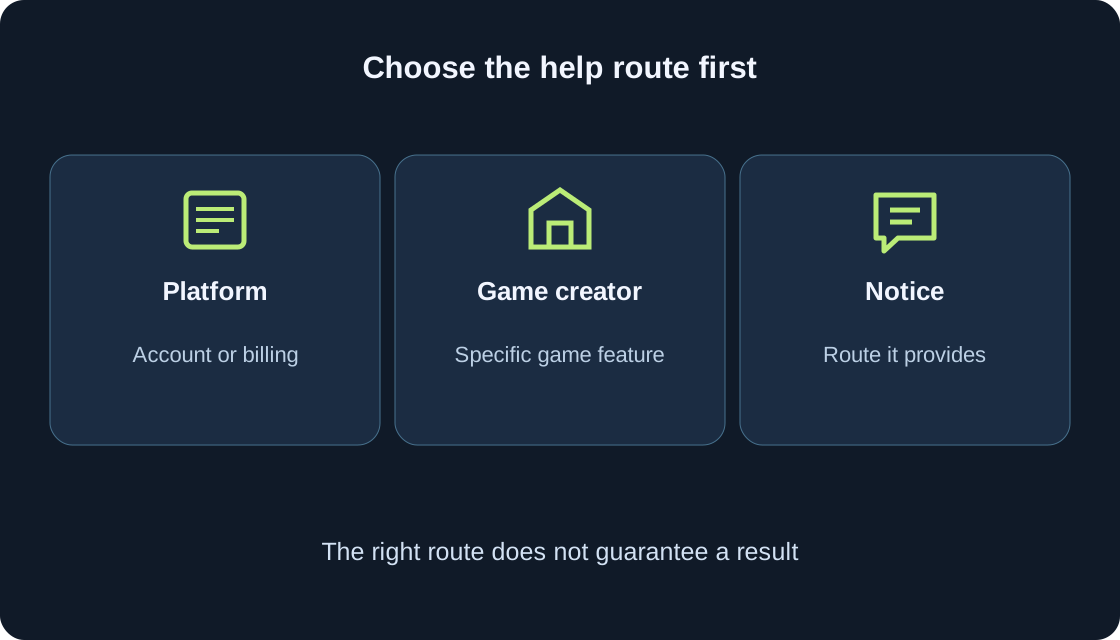
The official Contact Us article describes Roblox Customer Support for account and billing questions and links the support form. A game’s creator is a different contact. Roblox’s creator-help article directs experience-specific item or pass problems and creator-imposed game bans to that creator. A custom checkpoint or a rule about rewards also needs the game’s own explanation before assuming a platform fault.
Creators cannot provide Robux or monetary refunds for purchases through Roblox; the official article directs refund help to Customer Support. That routing does not promise a refund. Record what you need examined: a platform transaction, an account notice or an individual game function. If two things are involved, distinguish them in the description instead of asking both parties to solve an undefined problem.
 Open full-size image ↗
| Question | First route | What to prepare |
|---|---|---|
| Account or platform billing | Official Roblox help | Symptom and matching topic |
| One game’s item or feature | Creator channel if available | Game, stage, expected and observed result |
| Creator-imposed game ban | That creator’s help | Exact notice without guesses |
| Money or Robux refund help | Roblox Customer Support | Relevant article requirements; no refund promise |
| Platform glitch | Glitch guidance and its route | When, what happened, one or many places |
| Moderation notice | Route in the notice | Applicable appeal instructions |
Open the official entry point carefully #
Use the official address www.roblox.com/support, reached directly or through the Contact Us help article. Do not treat an advertisement, a game character or a message offering priority assistance as the support form. A creator may publish a separate help channel, but that channel is not automatically operated by Roblox. Verify the creator connection before describing a private case there.
The form is interactive; field names, categories and order may vary by language or account context. The steps below explain what information to prepare. Read the current page’s instructions before entering anything. You do not need an unofficial program or paid intermediary to prepare a clear description.
Select a topic that matches the symptom #
Contact Us names the relevant Roblox username, the device involved and the type of help as useful information. Choose the topic that describes your issue from the options actually offered. Do not choose a dramatic category because you assume it receives a faster answer. If an account notice supplies its own route, read that route first.
The platform-glitch article names Bug Report for people unable to post under the DevForum guidelines. That is a documented route, not proof that the current form shows the same wording for everyone. For an unclear choice, compare the category explanations with your opening sentence. Use the device on which the problem occurred, rather than a different device you are using to write. Required fields and contact details must be checked on the live form.
Describe a symptom rather than an invented cause #
Write what you saw or could not do. “The loading screen remained visible” is an observation. “The server deleted my account” is an explanation that needs evidence. Give the exact safe wording of a notice and any displayed code, keeping spelling intact. If there was no message, say that rather than filling the gap with a remembered error from a video.
Distinguish “not displayed”, “still loading” and “shown but unavailable”. They lead to different questions. Include the page or game concerned without adding unrelated player information. A short description of the last successful step identifies where the problem begins. Keep emotions out of the evidence sentence, while still explaining the practical effect: you could not proceed to the next screen, for example.
Show the shortest safe sequence #
Describe the few actions leading to the result: opened the official application, selected the game, reached a loading screen, then saw the notice. State what you expected and what happened instead. If the problem occurs in one place and has not been tested elsewhere, write that limit. Roblox’s glitch guidance specifically asks what the glitch does, when it began and whether it affects one or multiple places.
You do not need to reproduce a costly or risky action repeatedly. A purchase should not be repeated merely to produce another screenshot; use our purchase-result guide for that separate issue. Forgotten credentials belong with the password-recovery guide. Record existing observations and leave unperformed tests explicitly unperformed. The request should not make the reader believe you completed a check that you only considered.
Device, time and completed checks #
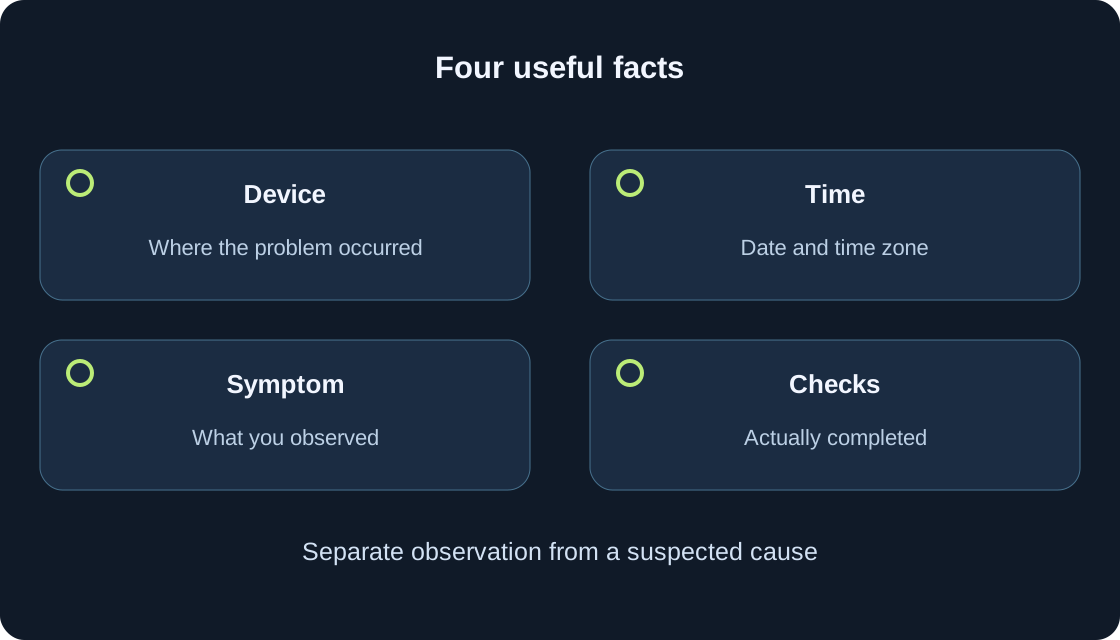
Give the device and relevant context: desktop application or browser, operating system if known, and application version if you have actually checked it. Do not invent a version number. Record the date and approximate time with a time zone; “yesterday” becomes ambiguous when a message is read later. If the time is approximate, label it approximate rather than offering false precision.
List each relevant completed check with its result. “Read the matching help article; the same notice remained” says more than “tried everything”. Contact Us suggests checking Roblox Status for platform or joining problems; a status observation should have its own time and does not diagnose one account. Avoid listing unrelated settings changes. A short “not tested on another device” can prevent unnecessary assumptions.
 Open full-size image ↗
Share only relevant, safe evidence #
The account-safety article warns against sharing passwords, browser cookies, verification codes and backup codes; Roblox employees do not ask for login secrets. Keep them out of descriptions and screenshots. An account username requested through official support is not a password, but the anonymous teaching example below contains no real username, email or player identifier.
Contact Us says a screenshot may be requested. If official instructions ask for evidence, provide what is relevant through that instructed channel and inspect it for unrelated private information first. Do not post payment records or identity documents publicly because someone calls them proof. Different topics may have legitimate evidence requirements; this guide does not replace those requirements with a blanket attachment rule. Our capture guide can help prepare a readable, focused image.
An anonymous teaching report #
This report is invented and was not sent: “Issue: the game does not progress beyond loading. Device: desktop application on Windows; version not checked. Teaching date: 5 October, approximately 14:20 UTC. Steps: opened the application, selected the fictional game, reached its loading screen. Expected: the initial scene appears. Observed: loading remained visible; no error code was shown. Scope: observed in this game; other games and another device were not checked.”
The closing request could be: “Please advise which relevant check to perform next and whether this belongs with platform or creator help.” Actual requests need their own true observations and any information required by the official form. Do not copy the example’s device, date or checks as if they were yours. A compact table can make the same facts easier to review.
Submission, confirmation and uncertainty #
Before sending a real request, reread the recipient route, topic, device and description. If a contact address is requested, use an address you can actually access and follow the form’s instructions. A draft is a draft until the official process reports an outcome.
After your own submission, retain any confirmation, reference or next-step instructions you receive. If no confirmation is visible, record what the page actually showed and check the relevant mailbox folders before assuming success or creating copies. A confirmation of receipt is not a decision on the problem. No response deadline has been measured here.
Follow the existing case without unnecessary copies #
Keep a simple private contact record: date, route, topic, reference if issued, last instruction and genuinely new information. Continue through the route described by the confirmation or reply. One product-help article specifically instructs replying to its confirmation email with requested evidence; that does not establish an identical attachment process for every topic. Read your actual message instead of inventing a universal support portal.
Keeping related updates together is our organizational advice, not a claim that all repeated ordinary tickets are ignored. Moderation appeals have a specific rule against duplicate appeals for the same action; follow the moderation notice and applicable appeal instructions. A genuinely different problem may need its own route. Separate a new symptom from another copy of the same story, and avoid sending unchanged messages through several channels.
| Contact record | Useful content | Next action |
|---|---|---|
| Date and route | When and where contacted | Match with any confirmation |
| Topic and symptom | One clear problem | Separate new issue from repetition |
| Reference if issued | Only the one actually received | Use under reply instructions |
| Last support question | What specifically is requested | Answer the relevant point |
| New check result | Action and observed outcome | Update existing conversation under its instructions |
| State | Resolved / next step / not established | Do not assume an outcome without evidence |
Read the reply and close the loop #
When a reply arrives, identify the question it asks, the information it requests and the next action appropriate to your situation. Answer the relevant point briefly with true observations. If a suggested step was already completed, state the result rather than just saying “I did that”. If it was not completed, say so. If a request is unclear, ask for clarification within the appropriate existing conversation.
Finish your record with resolved, awaiting a stated next step, or not established. Preserve useful facts without publicly sharing the private conversation. Help can explain a route without guaranteeing recovery, a purchase outcome or a game repair. Stop resending once the matter is resolved. If the outcome is not established, record what remains unknown and the next step needed.
Original sources
Roblox Support — contacting customer support and useful informationRoblox — official Support form entry point
Roblox Support — creator help versus platform support
Roblox Support — describing a platform glitch
Roblox Support — passwords, cookies and verification codes
Roblox Support — specific moderation appeal route
Roblox Support — an example of follow-up by confirmation email