For players / ROBLOX
Check a Roblox purchase result without paying again
Verify an already-made purchase: the correct account, confirmation, ownership and actual effect. Prepare a useful report if an item or ability is missing.
 Open full-size image ↗
1. Identify one purchase already made #
Start with a specific product rather than “everything disappeared”. Record its name, game or item address, date, device and the account used for the purchase. Express the expectation in one sentence: an item should appear, an ability should become available or a particular game counter should increase. If the description remains available, use its wording rather than guessing from an attractive icon.
This procedure checks an existing action. Do not press Buy again to refresh the result, particularly when the outcome is unknown. A repeatable product can create another separate purchase. Gather existing confirmation first. If all you remember is the purchase window, record “prompt seen; completion unconfirmed”. Leave unknown fields unknown rather than filling them from assumptions. That distinction guides both your next observation and any later request for assistance.
2. Identify the expected output type #
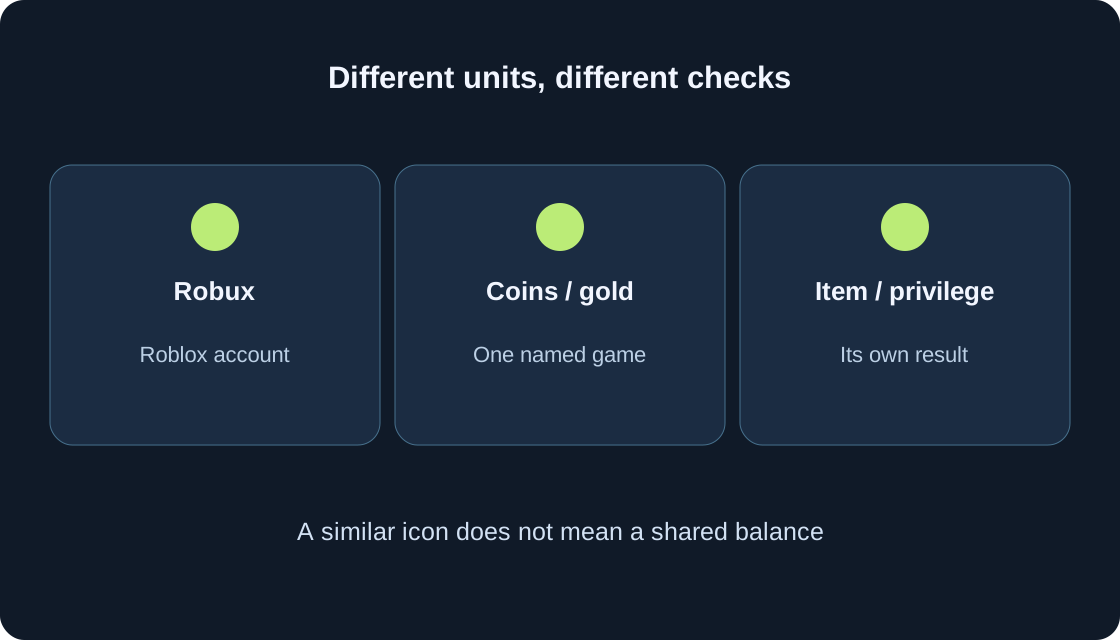
Robux belongs to the account; a particular game’s coins belong to its own system. Buying a Robux package and spending Robux on a game bundle require checks in different places. A pass is a one-time purchase of access to a privilege; a developer product is repeatable, such as a consumable bundle. The type alone does not explain where the benefit is activated or how the game displays it.
The table maps each expectation to evidence. Look for a Marketplace item in its inventory category, compare a pass privilege with its description and access in the correct game, and inspect a consumable bundle through its game indicator. Do not look for game coins in the Robux balance or every potion in the website inventory. If the type is unclear, preserve the product name and terms and ask its creator rather than testing another purchase.
| Expectation | Where to check | What it does not establish |
|---|---|---|
| Robux package | Correct account, balance and existing receipt | Delivery of a specific game item |
| Marketplace item | Inventory category and exact item page | That the item is already equipped |
| Pass entitlement | Exact page and described game access | That every benefit is automatically working |
| Repeatable bundle | Target game stock and transaction evidence | Permanent website ownership |
| Item paid with game coins | Game counter and its own shop | A Robux or ordinary-money payment |
3. Separate the prompt, payment, delivery and use #
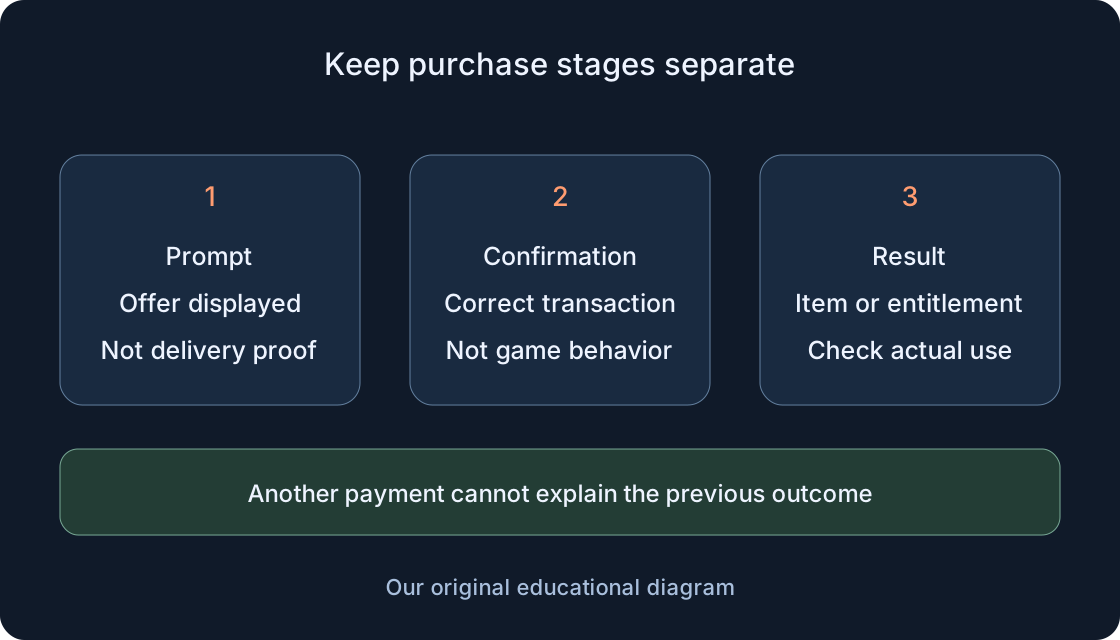
A purchase window means the offer was displayed. It does not prove a charge, delivery or a working ability. Record a confirmed transaction, the item or entitlement, its use inside the game and persistence where promised as separate questions. A success message at one stage cannot replace observation of the next stage. State what you actually know, not what the animation seems to imply.
In a fictional learning example, a player purchased a pass to a lantern room. Ownership is visible, but the door remains closed. The observation is “ownership confirmed; access does not work”, rather than “the purchase definitely never happened”. Another player has received an item but has not selected it for use. Our diagrams explain these checks; they are not screenshots of a particular game or results of real purchase testing.
4. Compare existing transaction information #
For Robux history in a browser, sign into the intended account, select the upper-right Robux icon and then its amount. My Transactions opens; use an available filter, such as Purchases for virtual items and passes. Match the name, date and displayed details with the single operation being investigated. The mobile Robux icon shows balance, but a current balance is not a replacement for history.
A lower total alone does not identify which product was delivered; other actions may have occurred nearby. Record only a visible entry or message. An entry you cannot find is not proof of cancellation. This page does not promise a complete log of every developer-product delivery within a game. If confirmation is unavailable, keep the state “not established” and gather further evidence without opening another payment.
5. Check the exact item and page #
For an inventory item in a browser, open the upper-left menu, Inventory, the relevant category and any applicable subcategory. Find its image and open the item page. Support describes Item Owned with a checkmark for an owned item. Compare the address and name rather than only a similar icon; matching appearances do not establish matching products.
For a pass, open its exact page using a saved link or related information and record any displayed ownership state. Do not treat a shop button as an instruction to buy again. Ownership does not prove that a creator’s ability is already active. A developer product cannot be checked by expecting the same permanent website ownership marker for a consumable. After finding the item, investigate how that particular item is used, not where to purchase another copy.
6. Check the pass benefit against its description #
The description should identify the intended effect and where it applies. If it names a separate setting, locate the creator-described control and record its state. For promised zone access, try the ordinary approach to that specific entrance. Do not assume a universal button to activate all passes: the game determines its own rules and interface.
Creator Hub explains that the game server assigns pass privileges, including checking ownership when the player joins. Ownership and the observed effect are therefore separate checks. Record the conditions: correct game, expected zone, required action and any available toggle. If entitlement is displayed but the effect is absent, give the creator both observations. Avoid switching accounts, resetting progress or attempting another paid action simply to investigate access.
7. Check delivery of a repeatable product separately #
In a fictional exercise, a bundle contains three tokens. The player had seven before purchase, saw ten after delivery, then spent two and has eight. Eight is not proof of under-delivery: 7 + 3 − 2 = 8. These numbers illustrate bookkeeping, not statistics from our games. If the original value was not recorded, acknowledge that instead of inventing it afterwards.
Identify the counter or stock that should change, separating incoming delivery from subsequent spending. For developer products the creator processes a confirmed purchase through receipt handling; a closed prompt is not proof of delivery. Buying another bundle does not establish what happened to the previous one. Keep the original operation’s information and ask the creator to investigate delivery of that product. A consumable need not have a permanent website ownership state.
8. If you bought Robux using ordinary money #
Establish whether the expected result was Robux on the account rather than an item inside a game. Check the correct account and displayed balance against an existing receipt from the relevant store or payment channel. Evidence of another purchase or account does not confirm this operation. Keep game-wallet numbers separate from your description of buying Robux.
Official missing-product guidance requests username, device, date and product for support, with a receipt supplied through its documented official flow. Gather that information privately. Do not publish payment documents or give them to an unfamiliar recovery service. This guide provides no universal delivery deadline or refund promise. If the balance does not reflect the expectation and evidence is insufficient, use official support for this transaction instead of another payment.
9. Separate rejoining from resetting #
Check persistence against what this particular product promises. A pass entitlement, already-spent tokens and a temporary boost are different results. Expired or consumed benefits do not necessarily represent an undelivered purchase. Read duration, consumption and applicable-location terms before interpreting a missing effect. Preserve the description alongside your observation where possible.
If the game’s rules allow a safe session finish, record the present state, leave normally and rejoin the same game once with the same account. Compare the relevant indicator without buying anything. Do not use new-game, rebirth or data deletion actions as a check; those may change progress. Rejoining is an observation, not universal restoration. If a result disappears, report what was visible before leaving and after returning, together with the product conditions.
10. Locate the last confirmed stage #
The table helps choose a next check without diagnosing a cause from one symptom. Possible notes are “prompt displayed”, “transaction found”, “entitlement visible”, “effect absent” or “state changed after rejoining”. Combining those into “broken” hides the useful distinction. A stage-specific report shows which part of the sequence still requires investigation.
Pending Robux in pass-sales guidance refers to the seller’s earnings. It is not a universal delivery timer for a player purchase or an instruction to await somebody else’s escrow. When the outcome is unknown, stop further paid actions and preserve the exact message. Even when a product supports repeat purchases, another receipt is a new operation. A missing animation cannot promise cancellation, and a familiar sound cannot establish completed delivery.
| Confirmed observation | Next check | Useful note |
|---|---|---|
| Only prompt seen | Existing transaction information | Completion remains unknown |
| Transaction visible, item missing | Exact product, account and relevant category | Transaction evidence separate from missing item |
| Entitlement visible, effect absent | Terms and ordinary use in the correct game | Ownership separate from behavior |
| Bundle delivered, smaller remainder | Spending after delivery and starting value | Incoming amount separate from remaining stock |
| State differs after joining | Duration, consumption and persistence promise | Before leaving and after rejoining |
| Insufficient confirmation | Collect name, time and exact message for recipient | Outcome unknown; no additional payment |
| Seller’s Pending Robux visible | Return to your operation and expected result | Another account’s earnings are not a delivery timer |
11. Choose the appropriate recipient #
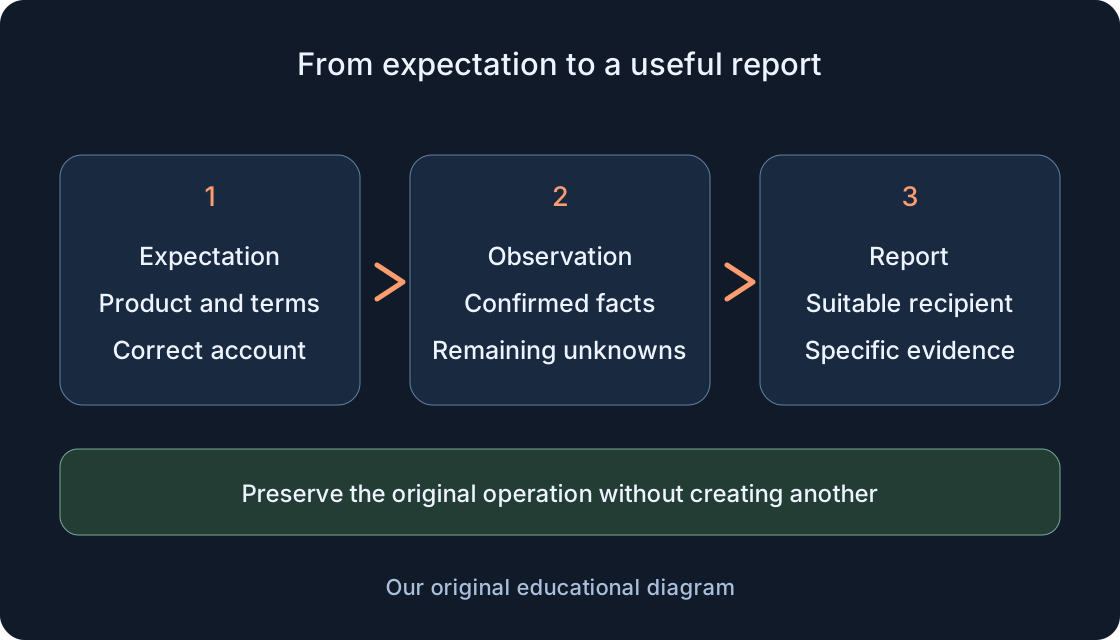
For a game item or perk that does not work as described, begin with the creator contact listed on the game page or an available official channel. Roblox Support also recommends contacting the developer about such game purchases. Provide product name and address, game, time, confirmed stage and observation. Another player’s private information is unnecessary evidence for your own problem.
Purchased Robux, a platform item or payment-confirmation problems require the relevant official Roblox support route. The form requests username, device and category; payment inquiries benefit from method, date, amount and the error message. Write one consistent account of events rather than several contradictory guesses. Do not assume a refund or response deadline: a report supplies evidence for investigation rather than guaranteeing resolution.
 Open full-size image ↗
12. Prepare a concise, verifiable record #
Use this template: product and link; game; purchasing account; date/device; promised result; transaction evidence; visible item or entitlement; use; state after safe rejoining; unknowns. Fill only what is available. The fictional lantern-room report might say: ownership visible, door closed, ordinary entrance checked, no second payment. This is a reporting example, not a test result for a real product.
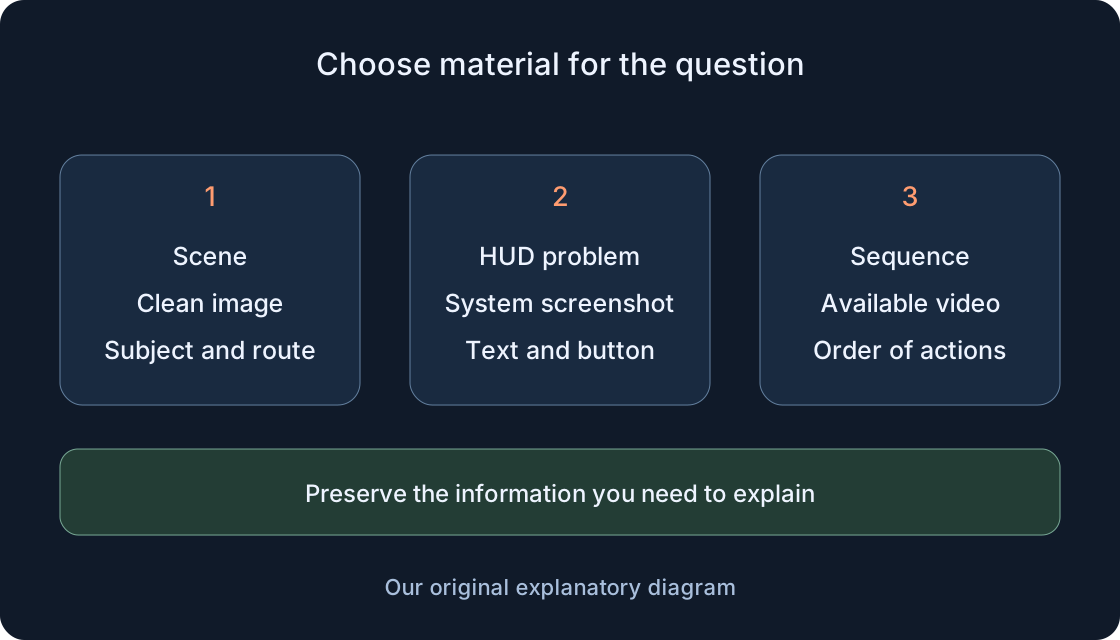
Where helpful, attach interface evidence and a separately saved image; clean built-in Captures may remove the message or indicator. Hide secrets and unnecessary payment details, providing an official receipt only to the official recipient through the requested flow. Keep a copy to compare the response with the original situation. A clear verified outcome or an exact unfinished stage is a useful result of this check. Neither requires another purchase.
Original sources
Roblox Support — Purchased item resultRoblox Support — Robux balance and transaction history
Roblox Support — View inventory in a browser
Roblox Creator Hub — Passes and assigning privileges
Roblox Creator Hub — Developer products and receipts
Roblox Creator Hub — MarketplaceService receipt handling
Roblox Support — Product purchased with money not found
Roblox Support — Experience passes and seller earnings
Roblox Support — Item problems and refund conditions
Roblox Support — Contact information